QUICK INFO
| Difficulty | Beginner |
| Time Required | 45-60 minutes |
| Prerequisites | Basic Python, command line familiarity |
| Tools Needed | Python 3.9+, pip, OpenAI API key (or Anthropic API key) |
What You'll Learn:
- How RAG works and when to use it
- Setting up a local vector database with ChromaDB
- Building a working question-answer system over your own documents
- Common failure modes and how to fix them
This guide walks you through building a retrieval-augmented generation system from scratch using Python, LangChain, and ChromaDB. You'll end up with a working prototype that can answer questions about any documents you feed it. We're not covering every possible configuration here, just the one path that works reliably for most use cases.
What RAG Actually Is
The term "retrieval-augmented generation" comes from a 2020 research paper by Patrick Lewis and colleagues at Facebook AI Research. The core idea is straightforward: instead of asking an LLM to answer questions purely from its training data, you first retrieve relevant information from your own documents, then pass that context to the model along with the question.
Think of it as giving the AI a cheat sheet before the exam. The model doesn't need to have memorized your company's HR policies or your product documentation. It just needs the relevant snippets in front of it when generating the answer.
RAG solves three problems that plague vanilla LLMs. First, knowledge cutoff: models don't know about anything that happened after their training data was collected. Second, hallucination: without grounding, models sometimes fabricate plausible-sounding but wrong information. Third, domain specificity: your internal documents aren't in the training data, so the model can't answer questions about them.
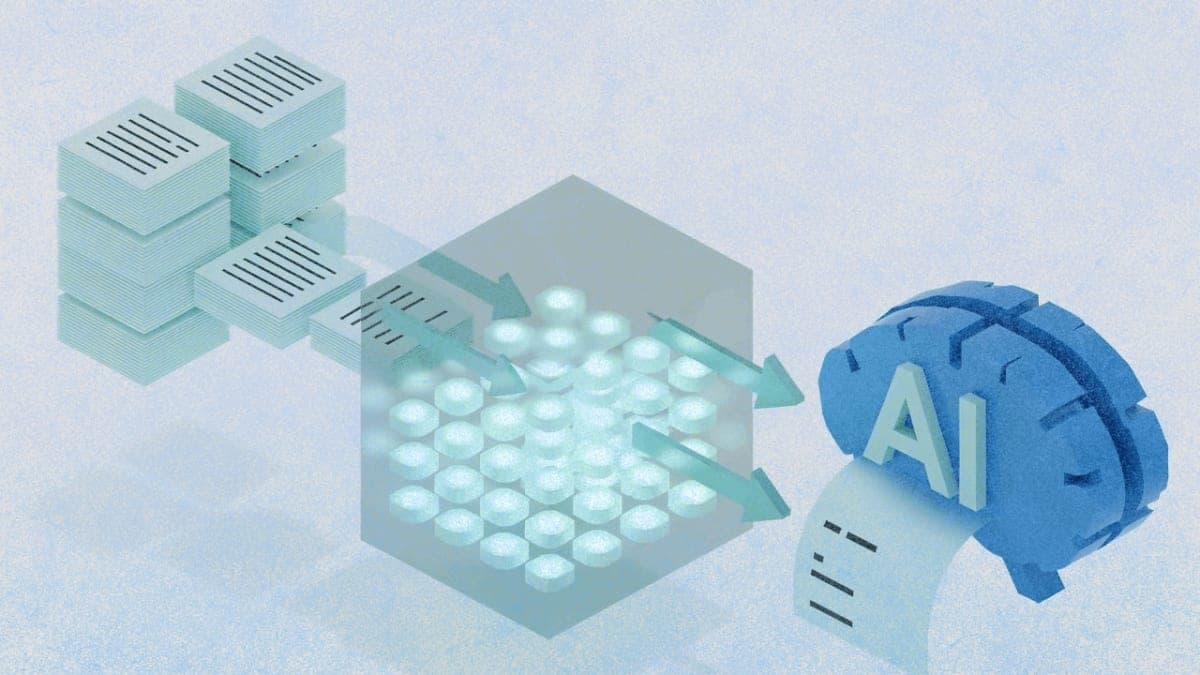
The architecture has three main stages. Ingestion converts your documents into vector embeddings and stores them in a database. Retrieval finds the most relevant chunks when a user asks a question. Generation passes those chunks to an LLM as context for producing an answer.
When RAG Makes Sense
RAG works well for internal knowledge bases, documentation Q&A, customer support systems, and any scenario where you need the model to reference specific source material. I've seen it work particularly well for technical documentation where accuracy matters more than creativity.
It doesn't work as well for tasks requiring complex reasoning across many documents simultaneously, real-time data that changes by the minute, or creative tasks where you want the model to improvise rather than stay grounded. For those, you'd want different approaches (though honestly, the field is moving fast enough that this might not be true by the time you read it).
Getting Started
You'll need Python 3.9 or higher. Check your version with python --version or python3 --version. You'll also need an API key from OpenAI or Anthropic. The examples use OpenAI's embeddings and GPT-4, but swapping in Claude works fine with minor changes.
Create a project directory and set up a virtual environment:
mkdir rag-tutorial
cd rag-tutorial
python -m venv venv
source venv/bin/activate  # On Windows: venv\Scripts\activate
Install the dependencies:
pip install langchain langchain-openai langchain-chroma chromadb pypdf tiktoken
This gives you LangChain for orchestration, ChromaDB for vector storage, and the PDF loader for document ingestion. The OpenAI integration handles both embeddings and generation.
Set your API key as an environment variable:
export OPENAI_API_KEY="your-key-here"
Or create a .env file and use python-dotenv to load it. Either works.
Building the RAG Pipeline
The whole system fits in about 50 lines of code. I'll break it into pieces, but you can run the complete script at the end.
Step 1: Load Your Documents
Create a data folder and drop a PDF in there. For testing, any multi-page document works. Technical documentation, a research paper, a product manual.
from langchain_community.document_loaders import PyPDFLoader

loader = PyPDFLoader("data/your-document.pdf")
pages = loader.load()
The loader returns a list of Document objects, one per page. Each has a page_content string and a metadata dict with the source file and page number.
Expected result: Running len(pages) should return the number of pages in your PDF.
Step 2: Split Into Chunks
Raw pages are usually too long to use as context directly. You need to split them into smaller chunks that the retriever can work with. This is where things get a bit fiddly.
from langchain.text_splitter import RecursiveCharacterTextSplitter

splitter = RecursiveCharacterTextSplitter(
    chunk_size=500,
    chunk_overlap=50,
    separators=["\n\n", "\n", " ", ""]
)
chunks = splitter.split_documents(pages)
The chunk size of 500 characters is a reasonable starting point. Too small and you lose context. Too large and retrieval becomes less precise. I've found 400-800 works for most technical documents, but this is genuinely one of those "it depends" situations. The 50-character overlap helps preserve context at chunk boundaries.
Actually, I should clarify: chunk_size here is measured in characters, not tokens. If you're hitting context limits later, that's probably why. You can switch to a token-based splitter, but for getting started, character-based is simpler.
Step 3: Create Embeddings and Store
This is where ChromaDB comes in. It stores your chunks as vectors and handles similarity search at query time.
from langchain_openai import OpenAIEmbeddings
from langchain_chroma import Chroma

embeddings = OpenAIEmbeddings(model="text-embedding-3-small")

vectorstore = Chroma.from_documents(
    documents=chunks,
    embedding=embeddings,
    persist_directory="./chroma_db"
)
The persist_directory saves the database to disk so you don't have to re-embed every time you run the script. First run takes a few seconds depending on document size. Subsequent runs load from disk almost instantly.
Expected result: A chroma_db folder appears in your project directory.
Step 4: Set Up the Retriever
The retriever is just a wrapper around the vector store that returns the most similar chunks for a given query.
retriever = vectorstore.as_retriever(
    search_type="similarity",
    search_kwargs={"k": 4}
)
The k parameter controls how many chunks to retrieve. Four is a decent default. More chunks means more context for the model but also more noise and higher token costs.
Step 5: Build the Chain
LangChain provides a convenience function that wires together the retriever, a prompt template, and the LLM.
from langchain_openai import ChatOpenAI
from langchain.chains import RetrievalQA

llm = ChatOpenAI(model="gpt-4o-mini", temperature=0)

qa_chain = RetrievalQA.from_chain_type(
    llm=llm,
    chain_type="stuff",
    retriever=retriever,
    return_source_documents=True
)
The chain_type="stuff" means it stuffs all retrieved chunks into the prompt at once. There are other strategies (map_reduce, refine) for handling larger context windows, but "stuff" works for most cases.
Setting temperature=0 makes responses more deterministic. For factual Q&A, you usually want this low.
Step 6: Query
response = qa_chain.invoke({"query": "What is the main topic of this document?"})
print(response["result"])
The response includes both the generated answer and the source documents that were used, which is useful for debugging and verification.
The Complete Script
import os
from langchain_community.document_loaders import PyPDFLoader
from langchain.text_splitter import RecursiveCharacterTextSplitter
from langchain_openai import OpenAIEmbeddings, ChatOpenAI
from langchain_chroma import Chroma
from langchain.chains import RetrievalQA

# Load
loader = PyPDFLoader("data/your-document.pdf")
pages = loader.load()

# Split
splitter = RecursiveCharacterTextSplitter(chunk_size=500, chunk_overlap=50)
chunks = splitter.split_documents(pages)

# Embed and store
embeddings = OpenAIEmbeddings(model="text-embedding-3-small")
vectorstore = Chroma.from_documents(
    documents=chunks,
    embedding=embeddings,
    persist_directory="./chroma_db"
)

# Retrieve and generate
retriever = vectorstore.as_retriever(search_kwargs={"k": 4})
llm = ChatOpenAI(model="gpt-4o-mini", temperature=0)
qa_chain = RetrievalQA.from_chain_type(
    llm=llm,
    chain_type="stuff",
    retriever=retriever,
    return_source_documents=True
)

# Query
response = qa_chain.invoke({"query": "What is the main topic of this document?"})
print(response["result"])
print("\nSources:", [doc.metadata for doc in response["source_documents"]])
Save this as rag.py and run with python rag.py.
Troubleshooting
"Rate limit exceeded" from OpenAI The embedding step makes multiple API calls. If you're on a free tier or processing large documents, you might hit rate limits. Add a delay between chunks or upgrade your API plan.
Empty or irrelevant responses
Usually means retrieval isn't finding good matches. Check that your chunks aren't too small (losing context) or too large (diluting relevance). Try printing response["source_documents"] to see what the retriever is actually returning.
"InvalidRequestError: maximum context length"
Your retrieved chunks plus the prompt exceed the model's context window. Either reduce k in your retriever, use smaller chunks, or switch to a model with a larger context window like GPT-4 Turbo.
ChromaDB errors on reload
If you change your embedding model after creating the database, ChromaDB will complain about dimension mismatches. Delete the chroma_db folder and re-run.
What's Next
This tutorial gives you a working prototype, but production RAG systems need more work. You'd want to add metadata filtering so users can scope queries to specific documents or date ranges. Hybrid search combining vector similarity with keyword matching often improves retrieval quality. A reranking step after initial retrieval can filter out low-quality matches before they reach the LLM.
For a deeper dive into these techniques, the LangChain documentation covers most of them, and the DeepLearning.AI course on RAG goes into the tradeoffs systematically.
PRO TIPS
Chunk overlap matters more than most tutorials suggest. When a relevant fact spans two chunks, overlap ensures both chunks capture it. I've found 10-15% overlap relative to chunk size works well.
Store your ChromaDB in a proper location for persistence. The persist_directory should be outside your project's temp folders. Otherwise you'll lose your embeddings when cleaning up.
Use text-embedding-3-small for development and testing. It's cheaper than text-embedding-3-large and fast enough for iteration. Switch to the larger model once you've tuned your chunking strategy.
Check retrieval quality separately from generation quality. If the retriever returns irrelevant chunks, no amount of prompt engineering will fix the generated answer. Build a small test set of questions and verify the retrieved chunks look right before blaming the LLM.
FAQ
Q: Can I use this with Claude instead of GPT?
A: Yes. Swap ChatOpenAI for ChatAnthropic from langchain_anthropic and use your Anthropic API key. The rest of the code stays the same. You'll still need an embedding model though, and Anthropic doesn't provide one, so you'd keep OpenAI embeddings or switch to a local model like sentence-transformers.
Q: How do I add more documents to an existing database?
A: Load the existing ChromaDB with Chroma(persist_directory="./chroma_db", embedding_function=embeddings), then call vectorstore.add_documents(new_chunks). No need to rebuild from scratch.
Q: What's the difference between RAG and fine-tuning? A: Fine-tuning modifies the model's weights using your data. RAG keeps the model unchanged and retrieves relevant context at inference time. Fine-tuning is expensive and time-consuming but can change the model's behavior deeply. RAG is quick to set up and easy to update but limited to providing context within the prompt window.
Q: How much does this cost to run?
A: For a 100-page PDF, initial embedding costs about $0.01-0.02 with text-embedding-3-small. Each query costs the embedding of your question (negligible) plus the LLM generation, which varies by model. With GPT-4o-mini, expect a few cents per query. Costs scale with document size and query volume.
Q: Can I run this entirely locally without API calls?
A: Yes, using Ollama for the LLM and a local embedding model like sentence-transformers. Performance won't match GPT-4 but it's free and private. The LangChain docs have examples for local setups.
RESOURCES
- LangChain RAG documentation: Official tutorial with more configuration options
- ChromaDB documentation: Vector database setup and advanced queries
- Original RAG paper (Lewis et al., 2020): The research that introduced the technique
- DeepLearning.AI RAG course: Comprehensive course covering evaluation and optimization