QUICK INFO
| Difficulty | Beginner |
| Time Required | 15-20 minutes |
| Prerequisites | Python 3.10+, at least one API key from a supported provider |
| Tools Needed | Python 3.10+, pip, terminal access |
What You'll Learn:
- Install aisuite and configure API keys for multiple providers
- Send identical prompts to different models with a single string change
- Use automatic tool execution for agentic workflows
- Connect MCP servers to extend model capabilities
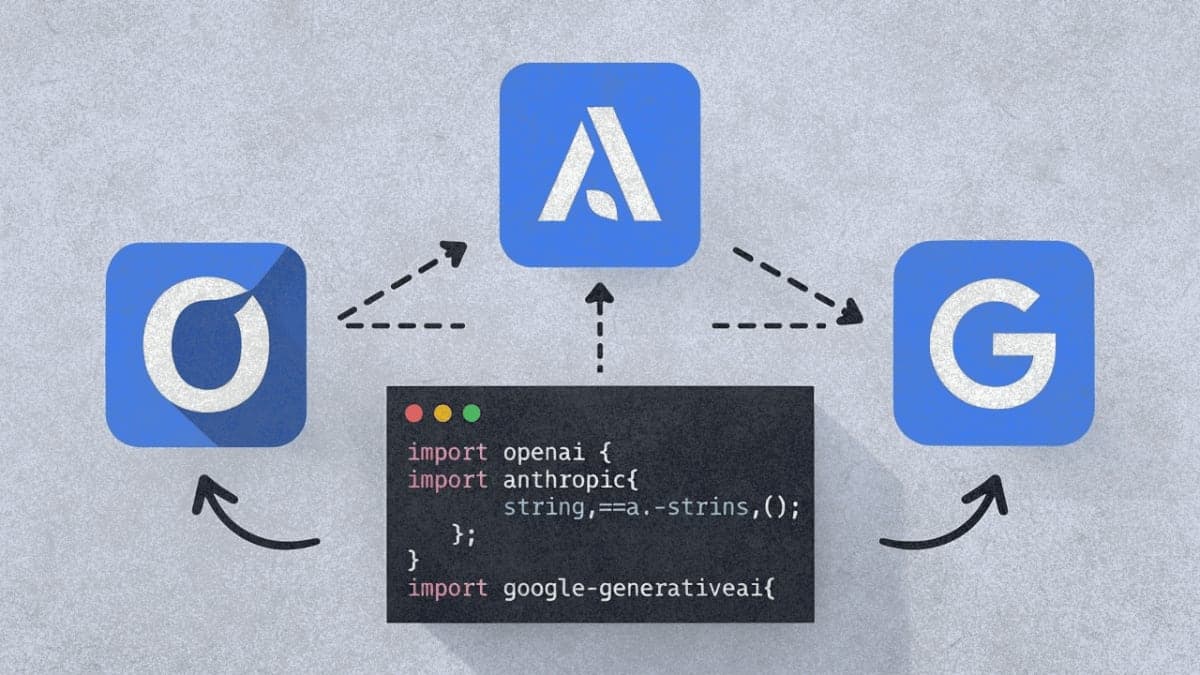
The aisuite library wraps multiple LLM provider SDKs behind an OpenAI-style interface. You write your code once, then swap providers by editing a model string like openai:gpt-4o or anthropic:claude-3-5-sonnet-20240620. Andrew Ng and his team open-sourced this in late 2024, and it's picked up traction for rapid prototyping and model comparison.
This guide covers installation through tool calling. If you're already comfortable with the OpenAI Python SDK, most of this will feel familiar.
Getting Started
You need Python 3.10 or higher. Check with python --version.
Install the base package first:
pip install aisuite
This gives you the core library without any provider SDKs. You'll install those separately based on which providers you actually use.
For a single provider:
pip install 'aisuite[anthropic]'
For everything (OpenAI, Anthropic, Google, AWS, Groq, Mistral, Cohere, Ollama, and more):
pip install 'aisuite[all]'
API Key Setup
aisuite reads API keys from environment variables. The naming convention follows each provider's standard:
export OPENAI_API_KEY="sk-..."
export ANTHROPIC_API_KEY="sk-ant-..."
export GOOGLE_API_KEY="..."
export GROQ_API_KEY="..."
You can also pass keys directly to the client constructor, but environment variables keep credentials out of your code.
On Windows, use set instead of export, or add them to your Python script:
import os
os.environ['OPENAI_API_KEY'] = 'sk-...'
Basic Chat Completions
The core pattern mirrors OpenAI's SDK:
import aisuite as ai

client = ai.Client()

messages = [
    {"role": "system", "content": "You are a helpful assistant."},
    {"role": "user", "content": "What's the capital of Estonia?"}
]

response = client.chat.completions.create(
    model="openai:gpt-4o",
    messages=messages
)

print(response.choices[0].message.content)
The model string uses the format provider:model-name. To switch to Claude:
response = client.chat.completions.create(
    model="anthropic:claude-3-5-sonnet-20240620",
    messages=messages
)
That's the entire change. Same messages, same response structure.
Expected result: You'll see the model's response printed. Response times vary by provider, typically 1-3 seconds for short queries.
Comparing Multiple Models
Loop through providers to compare outputs:
import aisuite as ai

client = ai.Client()
models = [
    "openai:gpt-4o",
    "anthropic:claude-3-5-sonnet-20240620",
    "google:gemini-pro"
]

messages = [
    {"role": "user", "content": "Explain quantum entanglement in one sentence."}
]

for model in models:
    response = client.chat.completions.create(
        model=model,
        messages=messages,
        temperature=0.7
    )
    print(f"{model}: {response.choices[0].message.content}\n")
Standard parameters like temperature, max_tokens, and top_p work across providers. aisuite translates them to each SDK's expected format.
Tool Calling
aisuite handles function calling in two modes: manual (you execute tools yourself) and automatic (aisuite runs them for you).
Manual Tool Handling
Pass tools in OpenAI's JSON schema format. You get back tool call requests and handle execution yourself:
import aisuite as ai

tools = [{
    "type": "function",
    "function": {
        "name": "get_weather",
        "description": "Get current weather for a city",
        "parameters": {
            "type": "object",
            "properties": {
                "city": {"type": "string", "description": "City name"}
            },
            "required": ["city"]
        }
    }
}]

client = ai.Client()
response = client.chat.completions.create(
    model="openai:gpt-4o",
    messages=[{"role": "user", "content": "What's the weather in Tokyo?"}],
    tools=tools
)

# Check if model wants to call a tool
if response.choices[0].message.tool_calls:
    tool_call = response.choices[0].message.tool_calls[0]
    print(f"Model wants to call: {tool_call.function.name}")
    print(f"With arguments: {tool_call.function.arguments}")
You then execute the function, format the result, and send it back in a follow-up message.
Automatic Tool Execution
Add max_turns and pass actual Python functions instead of JSON schemas:
import aisuite as ai

def get_weather(city: str) -> str:
    """Get current weather for a city.

    Args:
        city: Name of the city
    """
    # Your actual implementation here
    return f"Weather in {city}: 72°F, sunny"

def get_time(timezone: str) -> str:
    """Get current time in a timezone.

    Args:
        timezone: Timezone name like 'America/New_York'
    """
    from datetime import datetime
    return f"Current time: {datetime.now().isoformat()}"

client = ai.Client()
response = client.chat.completions.create(
    model="openai:gpt-4o",
    messages=[{
        "role": "user",
        "content": "What's the weather and time in Tokyo?"
    }],
    tools=[get_weather, get_time],
    max_turns=3
)

print(response.choices[0].message.content)
aisuite extracts the function schema from your docstrings and type hints, calls the functions when the model requests them, sends results back to the model, and continues until the conversation completes or max_turns is reached.
The response includes response.choices[0].intermediate_messages with the full conversation history including tool interactions. This is useful if you need to continue the conversation later.
MCP Integration
Model Context Protocol lets you connect external tool servers to your LLM. aisuite wraps the connection handling.
First, install MCP support:
pip install 'aisuite[mcp]'
You'll also need an MCP server. The filesystem server is common for testing:
npm install -g @modelcontextprotocol/server-filesystem
Config Dict Approach
For quick setups:
import aisuite as ai

client = ai.Client()
response = client.chat.completions.create(
    model="openai:gpt-4o",
    messages=[{"role": "user", "content": "List files in the current directory"}],
    tools=[{
        "type": "mcp",
        "name": "filesystem",
        "command": "npx",
        "args": ["-y", "@modelcontextprotocol/server-filesystem", "/path/to/directory"]
    }],
    max_turns=3
)

print(response.choices[0].message.content)
Replace /path/to/directory with an actual path on your system.
MCPClient for Reuse
If you're making multiple requests:
import aisuite as ai
from aisuite.mcp import MCPClient

mcp = MCPClient(
    command="npx",
    args=["-y", "@modelcontextprotocol/server-filesystem", "/home/user/projects"]
)

client = ai.Client()

# First request
response = client.chat.completions.create(
    model="openai:gpt-4o",
    messages=[{"role": "user", "content": "What files are in the projects folder?"}],
    tools=mcp.get_callable_tools(),
    max_turns=3
)

# Reuse the same MCP connection for more requests...

mcp.close()  # Clean up when done
Troubleshooting
"No module named 'openai'" (or anthropic, etc.)
You installed the base package without provider SDKs. Run pip install 'aisuite[openai]' or whichever provider you need.
"Invalid API key" errors
Check that your environment variable names match exactly: OPENAI_API_KEY, ANTHROPIC_API_KEY, etc. Case matters.
Response format differences
While aisuite normalizes the interface, some provider-specific behaviors leak through. Streaming, for instance, isn't uniformly supported across all providers yet.
Tool calling fails with certain providers
Not all providers support tool calling. OpenAI and Anthropic work well. Some others (Ollama, certain Hugging Face models) may not support function calling at all.
What's Next
The aisuite examples folder on GitHub has Jupyter notebooks covering more complex scenarios. The tool_calling_abstraction.ipynb notebook is worth reading if you're building anything agentic.
PRO TIPS
Press Ctrl+C during a long-running request to interrupt it cleanly. The client handles the interrupt gracefully.
For cost comparison across providers, log the model string alongside token usage from the response. aisuite doesn't track costs, but building a simple wrapper takes five minutes.
If you're testing prompts across many models, write a thin wrapper that catches exceptions per-provider. Some providers have stricter content policies and will reject prompts that others accept.
The temperature parameter behaves slightly differently across providers. A temperature of 0.7 on GPT-4 doesn't produce identical randomness to 0.7 on Claude. Expect variation.
FAQ
Q: Does aisuite add latency compared to calling providers directly? A: Negligible. It's a thin wrapper that translates parameters and response formats. The actual API call goes straight to the provider.
Q: Can I use streaming responses? A: Partial support. Check the GitHub issues for your specific provider. OpenAI streaming works; others are inconsistent.
Q: What happens if a provider is down? A: You get the provider's error. aisuite doesn't add retry logic or failover, though you could build that on top.
Q: Is there a way to use local models through Ollama?
A: Yes. Install Ollama separately, then use ollama:llama3.1:8b or whatever model you've pulled. Make sure Ollama is running before making requests.
RESOURCES
- aisuite GitHub repository: Source code and examples
- PyPI package page: Installation and version history
- MCP documentation: Understanding the Model Context Protocol