QUICK INFO
| Difficulty | Beginner |
| Time Required | 25-35 minutes |
| Prerequisites | Basic understanding of what AI chatbots do; familiarity with at least one AI tool |
| Tools Needed | Web browser; accounts on 1-2 AI platforms (free tiers work) |
What You'll Learn:
- How to match task types to model strengths
- When to use frontier models vs. smaller/cheaper options
- Practical criteria for evaluating model fit
- How to test models before committing to one
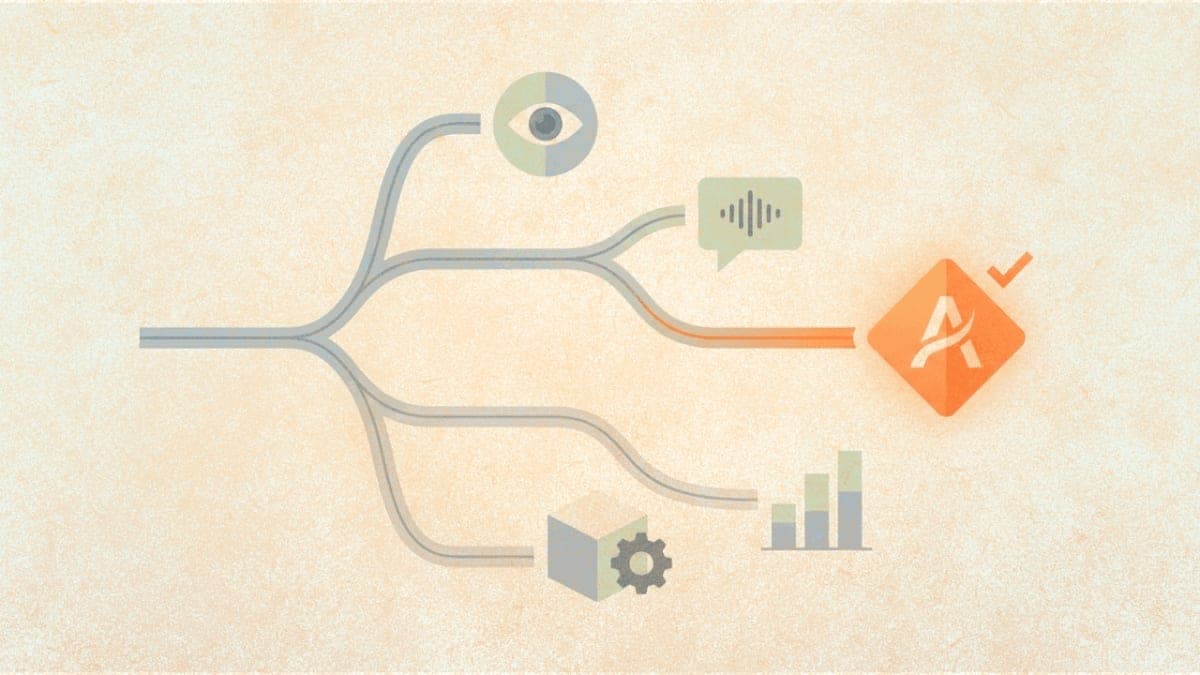
This guide helps you pick an AI model that actually fits your use case. It's for anyone who's used ChatGPT or Claude a few times and now faces the question: which model should I use for this specific thing? We'll skip the comprehensive benchmark comparisons and focus on practical selection criteria.
A note on timing: This guide reflects the AI landscape as of December 2025. Between November 17 and December 11, we saw four major model releases in under a month: Grok 4.1, Gemini 3, Claude Opus 4.5, and GPT-5.2. That pace is unusual even by AI standards. The specific models I mention here will be outdated within months, possibly weeks. The selection framework won't be.
Getting Started
You need access to at least one AI platform to follow along. Free tiers on OpenAI, Anthropic, or Google work fine. If you've never used any of these, start with Claude (claude.ai) or ChatGPT (chat.openai.com), both of which offer free access with some limitations.
The Core Question You're Actually Asking
When people ask "which AI model should I use," they usually mean one of three things: Which model will give me the best output quality? Which model is cheapest for my volume? Which model can handle my specific task type?
These questions have different answers. A model that writes the best marketing copy might be overkill (and overpriced) for simple data extraction. A model that's fast and cheap might produce unusable results for complex reasoning tasks.
The selection process works like this: identify your task type, understand your constraints, then test 2-3 candidates. That's it. Most of the "which model is best" discourse online skips this and jumps straight to benchmark comparisons that may not apply to your actual use case.
Task Categories and What They Demand
Different tasks stress different model capabilities. I'm not going to cover every possible use case, but these categories capture most of what people actually do.
Writing and content generation covers marketing copy, blog posts, emails, documentation, creative fiction. The main variables are tone control, instruction-following, and how much the output sounds like generic AI slop. ChatGPT and Grok currently lead here for different reasons: ChatGPT (GPT-5.1/5.2) produces polished, professional output and follows formatting instructions reliably. Grok 4.1 has more personality and emotional range, which works better for content that needs to feel less robotic. For high-volume, lower-stakes content, smaller models work fine.
Code and technical tasks includes writing code, debugging, explaining technical concepts, working with documentation. Claude Opus 4.5 currently leads on coding benchmarks (80.9% on SWE-bench Verified) and is specifically positioned as the "best model for coding, agents, and computer use." It's particularly strong at understanding existing codebases, handling multi-file refactoring, and maintaining consistency across long coding sessions. GPT-5.2 and Gemini 3 Pro are competitive alternatives, especially if you need larger context windows.
Image generation has a clear current leader: Google's Nano Banana Pro (the official name is Gemini 3 Pro Image, but everyone calls it Nano Banana Pro). It handles text rendering in images better than competitors, maintains character consistency across multiple generations, and can pull real-world knowledge into visuals. It's available through the Gemini app, Google Workspace, and via API. ChatGPT's image generation is adequate but not at the same level right now.
Analysis and reasoning covers tasks like summarizing research papers, analyzing data patterns, making decisions based on complex criteria. Gemini 3 Pro currently leads on reasoning benchmarks and has a massive 1-million-token context window. Claude Opus 4.5 and GPT-5.2 are close behind. For analysis tasks where accuracy matters, use frontier models. The quality differences are most apparent in this category.
Data extraction and formatting means pulling structured information from unstructured text, converting between formats, cleaning data. This is still the easiest category to downgrade to cheaper models. If you're extracting email addresses from text or reformatting dates, you don't need a frontier model.
The Models Worth Knowing About (December 2025)
I'll focus on the models most people can actually access. This section will age poorly, but the task-to-model mapping tends to stay relatively stable even as specific models change.
OpenAI's GPT-5 family powers ChatGPT. GPT-5.1 (November 2025) added a warmer personality and can switch between "Instant" mode for quick tasks and "Thinking" mode for complex reasoning. GPT-5.2 (December 2025) refined this further. ChatGPT dominates market share (roughly 60%) and has the most mature ecosystem of plugins, custom GPTs, and integrations. It's the safe, polished choice for general use and writing tasks.
Anthropic's Claude currently has Claude Opus 4.5 as its flagship, released November 2025. It's explicitly positioned for coding and agentic tasks, scoring 80.9% on SWE-bench. Claude Sonnet 4.5 and Haiku 4.5 are the mid-tier and budget options respectively. Claude's pricing dropped significantly with this release ($5/$25 per million tokens for Opus, down from $15/$75), making it more competitive. The 200k context window is useful for working with large documents.
Google's Gemini 3 launched November 2025 with Gemini 3 Pro as the flagship. It leads on some reasoning benchmarks and has a massive 1-million-token context window. Nano Banana Pro (Gemini 3 Pro Image) is the image generation model that's become the current leader for visual content. Google's integration with Workspace, Search, and Vertex AI matters if you're already in that ecosystem.
xAI's Grok 4.1 (November 2025) stands out for emotional intelligence and personality. It scored highest on EQ-Bench and leads on LMArena's leaderboard. Grok has real-time access to X (Twitter) data, which helps for current events but can also surface questionable content. It's the most "human-feeling" of the frontier models in conversation, for better or worse.
For open-source options, Llama and Mistral remain relevant, and DeepSeek has emerged as a strong competitor (DeepSeek-V3.2 reportedly rivals GPT-5 on some benchmarks). These matter most if you need privacy, cost control at scale, or customization.
Practical Selection Criteria
When deciding which model to use, run through these considerations:
Start with task complexity. If your task requires following multiple constraints, handling ambiguity, or producing outputs that need to be correct rather than just plausible, lean toward frontier models (GPT-5.2, Claude Opus 4.5, Gemini 3 Pro). If your task is well-defined and error-tolerant, smaller models save money without meaningful quality loss.
Consider volume and cost. Frontier models cost roughly 10-30x more per token than their smaller counterparts. Grok is currently the cheapest frontier option for API use ($0.20/$0.50 per million tokens). Claude Opus dropped to $5/$25, which is more accessible than before. For one-off tasks through a subscription, cost doesn't matter much. For thousands of API calls per day, it matters a lot.
Think about context requirements. If you need to process documents longer than about 50,000 words, Gemini 3 Pro's 1-million-token context window is the clear winner. Claude offers 200k, GPT-5.2 has 400k. For most tasks, even 100k tokens is more than enough.
Factor in latency if relevant. For real-time applications or interactive tools, response time matters. Smaller models and "instant" modes respond faster. The difference between a 2-second and 8-second response might not matter for batch processing but kills the user experience in a chatbot.
How to Actually Test
Don't trust benchmarks. Run your actual task on 2-3 models and compare the outputs.
Take a representative example of your real task, not a simplified version, and run it through each candidate model. If you're building something that will run many times, test on 5-10 examples to get a sense of consistency.
Pay attention to failure modes. When a model fails on your task, how does it fail? Does it produce confident nonsense? Does it refuse unexpectedly? Does it miss subtle requirements? These patterns matter more than average performance.
For API use, most providers offer some amount of free credits or a free tier. OpenAI's playground, Anthropic's console, Google's AI Studio, and xAI's API all let you experiment before building a full integration.
One thing I should clarify: testing on your specific task is more important than any general advice I can give. A model that works poorly for most people might work well for your particular domain, or vice versa.
The Cost-Quality Tradeoff in Practice
Most people overthink initial model selection and underthink the cost-quality tradeoff for their actual usage pattern.
If you're using AI through a subscription (ChatGPT Plus, Claude Pro, SuperGrok), the model choice is mostly about capability, not cost. You're paying a flat fee regardless.
If you're using the API and paying per token, the math changes. Claude Opus at the new $5/$25 pricing is much more accessible than before, but Grok's API at $0.20/$0.50 per million tokens is still dramatically cheaper. For high-volume tasks, that difference adds up.
The right approach for API usage: start with the cheapest model you think might work, test it, and only upgrade if the quality isn't acceptable. Most people do the opposite, starting with the most expensive model "to be safe" and never bothering to test cheaper alternatives.
When Model Choice Doesn't Matter Much
For a lot of common tasks, the differences between frontier models are smaller than people assume. If you're asking for a summary of a short document, generating a few bullet points, or having a simple Q&A conversation, GPT-5.1, Claude Sonnet 4.5, and Gemini 3 Flash will give you roughly comparable results.
The debates about which model is "best" hinge on edge cases: complex multi-step reasoning, very long coding sessions, nuanced creative writing, or specific benchmark categories. For 80% of what people actually use these tools for, any frontier model works fine.
Model choice matters most at the extremes: very complex reasoning tasks where specific models pull ahead (Claude for coding, Gemini for long-context reasoning, Grok for emotional tasks), or very simple tasks where you're wasting money on capability you don't need.
Troubleshooting
Symptom: Model refuses to complete a task it should be capable of Fix: Rephrase your request to be more explicit about the legitimate purpose. If using Claude, try being more direct about what you want rather than hinting at it. If the refusal persists across different phrasings, the task may genuinely be outside what the model is willing to do.
Symptom: Output quality varies wildly between runs Fix: This is normal, especially for creative tasks. If you need consistency, lower the temperature setting (available in API and some interfaces). For critical applications, run multiple generations and pick the best, or use a more capable model.
Symptom: Model seems to "forget" instructions partway through a long task Fix: For long outputs, include key instructions at both the beginning and end of your prompt. Consider breaking the task into smaller chunks. This is a context limitation, not a model defect.
Symptom: Model hallucinates facts or citations Fix: All current models do this to some degree. For factual claims, especially citations or statistics, always verify independently. Claude and GPT-4o are somewhat better than smaller models, but none are reliable for factual accuracy without verification.
What's Next
You now have a framework for picking AI models based on task type, constraints, and actual testing rather than benchmark comparisons. The next step is to run your specific use case through 2-3 candidate models and make a decision based on real outputs.
For coding tasks specifically, consider looking into AI-powered IDE integrations like Cursor or GitHub Copilot, which apply these models in a more specialized context.
PRO TIPS
Most interfaces let you set a "system prompt" or custom instructions that persist across conversations. Use this to set baseline context and preferences instead of repeating them every time.
When testing models via API, log your prompts and outputs somewhere. You'll want to compare across sessions, and the built-in chat histories in web interfaces aren't designed for systematic comparison.
Temperature settings control randomness. For analytical tasks and code, use low temperature (0-0.3). For creative work, higher temperature (0.7-1.0) adds variety. The default is usually around 0.7.
FAQ
Q: Is GPT-5 better than Claude or Grok or vice versa? A: None is universally better. Claude Opus 4.5 leads on coding tasks. Grok 4.1 leads on emotional intelligence and real-time information. ChatGPT is the most polished for general use and writing. Gemini 3 leads on pure reasoning benchmarks. Test on your actual task.
Q: Should I use the API or the chat interface? A: Chat interface (ChatGPT, claude.ai, grok.com) for one-off tasks and experimentation. API for anything you'll run repeatedly, want to automate, or need to integrate into other tools.
Q: How do I know if a task needs a frontier model? A: If you run the task on a cheaper model and the output is unusable, you need a better model. If the output is acceptable, you don't. The only way to know is to test.
Q: What about image generation? A: Nano Banana Pro (Google's Gemini 3 Pro Image) is the current leader, particularly for text rendering and consistency. It's available through the Gemini app and API. ChatGPT and Grok also generate images but aren't as strong in this category right now.
Q: How often do I need to re-evaluate my model choice? A: More often than before. November-December 2025 saw four major releases in under a month. Check every month or two, or when you see news about major model updates.
RESOURCES
- OpenAI Platform: API access, pricing, documentation for GPT-5 models
- Anthropic Console: API access and documentation for Claude models
- Google AI Studio: Testing interface for Gemini 3 and Nano Banana Pro
- xAI: Grok API access and documentation
- Hugging Face: Open-source models including Llama, Mistral, and DeepSeek