QUICK VERDICT
| Rating | 8.5/10 |
| Best For | Developers who want an AI pair programmer that understands entire codebases, not just single files |
| Pricing | $20/month (Pro), $100/month (Max 5x), $200/month (Max 20x) |
| Strength | Deep codebase understanding and multi-file changes that actually work |
| Weakness | Learning curve for those new to agentic workflows; power users may still hit weekly caps |
I went into Claude Code testing expecting another AI coding assistant that works great on demos and falls apart on real projects. One month and roughly 200 sessions later, I'm writing this review from a codebase that Claude Code helped refactor in ways I wouldn't have attempted manually.
The pitch is simple: instead of autocomplete suggestions or chat windows bolted onto your IDE, Claude Code operates on your entire project. It reads files, edits them, runs commands, creates commits. You can access it through the terminal (the original interface), a VS Code extension (now in beta), or the Claude desktop app (launched November 2025). When it works, it feels less like using an AI tool and more like delegating to a capable colleague who types faster than humanly possible.
What I Tested
I used Claude Code across three projects over one month: a React/TypeScript frontend with about 28,000 lines of code, a Python data pipeline, and some exploratory refactoring on an older Django codebase I inherited. I ran it on a MacBook Pro with a Claude Max $100 subscription, splitting time between the terminal interface and the VS Code extension.
The features I leaned on hardest: natural language file editing, multi-file refactoring, test generation, and git operations. I also experimented with Plan Mode (where it drafts a strategy before writing code), the desktop app's parallel sessions feature, and running multiple worktrees simultaneously.
What I didn't test: the GitHub Actions integration for automated PR reviews, any enterprise features, or MCP server connections beyond the basic setup. I also didn't stress-test it on massive monorepos with hundreds of thousands of lines.
Features That Actually Matter
The core loop is this: you describe what you want in natural language, Claude Code reads your codebase, proposes changes, and asks permission before executing. You can do this from the terminal, the VS Code extension, or the desktop app.
Codebase understanding. This is where Claude Code separates itself from autocomplete-style tools. When I asked it to refactor how my React app handled authentication state, it didn't just modify one file. It traced the state through three components, identified where props were being drilled unnecessarily, and proposed moving to React context with a custom hook. The changes spanned five files, and they worked on the first try.
I kept waiting for it to break something. On simpler refactors (renaming a function, updating an API endpoint across the codebase), it was nearly flawless. On more complex architectural changes, I'd say it got 70-80% of the way there, with the remaining work being edge cases and style adjustments.
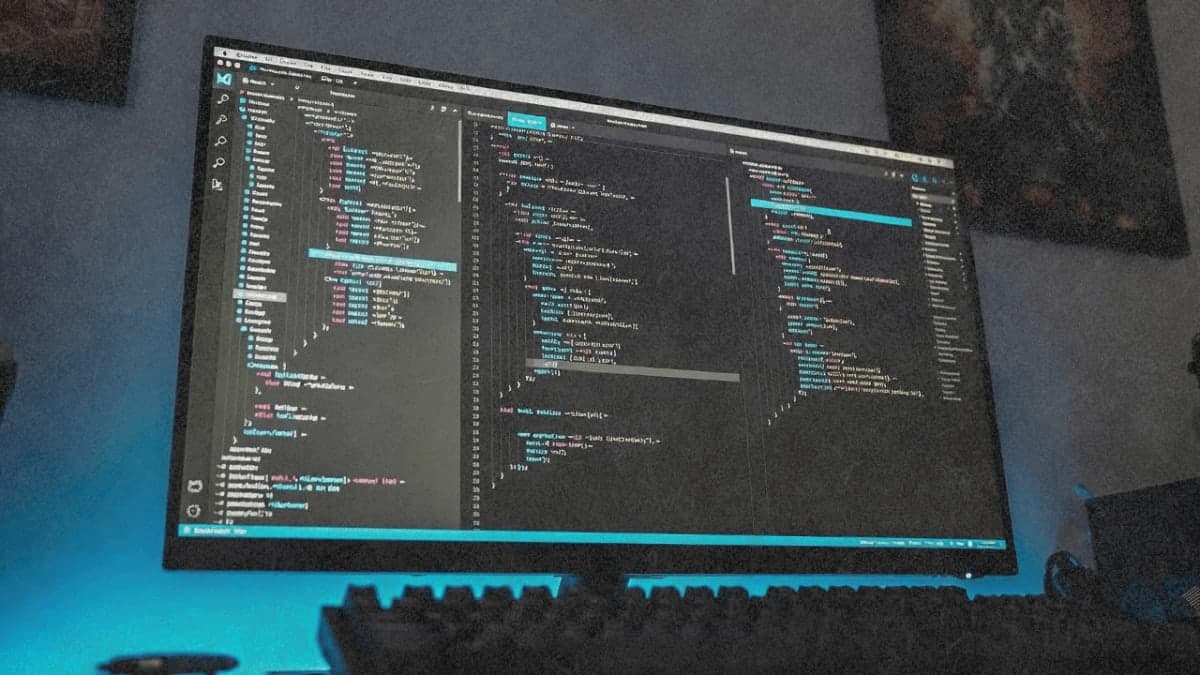
The VS Code extension. This is newer (still in beta), and it changes the experience significantly. You get inline diffs instead of terminal output, @-mentions to reference specific files and line ranges, and visual plan review before accepting changes. For developers who found the terminal-only approach too raw, the extension makes Claude Code feel more like a native IDE feature. The extension and CLI share conversation history, so you can start in VS Code and resume from terminal if needed.
The desktop app. Launched with Opus 4.5 in November 2025, this lets you run multiple Claude Code sessions in parallel, each in its own git worktree. One agent can be fixing bugs, another researching a GitHub issue, a third updating documentation. For larger projects, this parallel workflow is a genuine productivity multiplier.
The CLAUDE.md file. You can create a markdown file in your project root that tells Claude Code about your conventions, preferred patterns, and project-specific context. I underestimated this at first. Once I added notes about our testing conventions and folder structure, the generated code stopped requiring as much cleanup.
Plan Mode. Pressing Shift+Tab toggles a mode where Claude drafts a plan before writing any code. For anything non-trivial, this is essential. I learned to prompt with "think through this before coding" and the success rate on complex tasks jumped noticeably.
Git operations. I now use Claude for about 80% of my git interactions. Commit messages, branch management, even digging through history to understand why something was implemented a certain way. It knows the gh CLI, so creating PRs is one prompt away.
Where It Falls Short
Weekly limits can still bite power users. Anthropic introduced weekly caps in August 2025 that initially frustrated heavy users, but the November 2025 Opus 4.5 release improved things significantly. Opus-specific caps were removed, and Max users now get roughly the same Opus token allocation they previously had with Sonnet. For typical professional use, I didn't hit limits during my testing. The 5-hour reset windows still exist, but they're generous enough that I could code all day without interruption. Power users running Claude Code continuously across multiple projects may still encounter the weekly ceiling.
It adds features you didn't ask for. Several times, Claude Code would implement something and add "bonus" functionality I never requested. A simple form component came back with validation logic, error handling, and accessibility attributes I hadn't mentioned. Usually this was helpful, but occasionally it meant extra review time to strip out unwanted complexity.
Context compression on long sessions. Extended conversations start to degrade as Claude Code compresses earlier context. The good news: the Claude apps now automatically summarize earlier messages when approaching context limits, so you don't hit a wall. The tradeoff is that early details can be forgotten. I learned to run /clear between distinct tasks for best results.
Learning curve for agentic workflows. If you're coming from autocomplete-style tools, the shift to agentic coding takes adjustment. You're not getting suggestions as you type; you're describing tasks and reviewing proposed changes. It's more like managing a junior developer than using an IDE extension. Some people love this. Others find it slower for quick edits.
Pricing Reality
The three tiers create real friction points:
Pro at $20/month works if you're using Claude Code for occasional tasks or learning. You get access to Claude Sonnet, and the usage limits mean roughly 10-40 prompts every five hours. For daily use, you'll hit walls.
Max 5x at $100/month is where most professional developers should land. You get access to Claude Opus (Anthropic's most capable model) and 5x the Pro usage. During typical workdays, I rarely hit limits. Long debugging sessions or major refactors were different.
Max 20x at $200/month exists for developers who want Claude Code running constantly. At that price, you're paying more than most software subscriptions combined. The value depends entirely on your hourly rate and how much you delegate.
For comparison: Cursor costs $20/month with unlimited Sonnet usage, and GitHub Copilot starts at $10/month. Claude Code's pricing only makes sense if the quality difference matters for your work. For complex multi-file changes and codebase-wide refactors, it does. For line-by-line autocomplete, cheaper alternatives are fine.
vs. The Competition
Claude Code vs. Cursor: Cursor gives you a full IDE with AI baked in, visual diffs, real-time suggestions as you type. Claude Code now offers both terminal and VS Code interfaces, plus a desktop app for parallel sessions. If you want everything in one standalone environment, Cursor is more cohesive. If you want to layer AI onto your existing setup with more flexibility, Claude Code fits better.
Claude Code vs. GitHub Copilot: Different tools for different jobs. Copilot excels at autocomplete and quick inline suggestions. Claude Code excels at multi-step, multi-file operations. Plenty of developers run both. Copilot for the typing, Claude Code for the architecture.
The agentic difference matters. Claude Code doesn't just suggest code; it can read your project, plan changes, execute them, run tests, and create commits. Copilot is finally adding Agent Mode, but it's catching up to where Claude Code started.
What I Liked
- Multi-file refactoring that understands project architecture, not just individual files
- VS Code extension with inline diffs makes reviewing changes visual and intuitive
- Desktop app's parallel sessions let you run multiple agents on different tasks simultaneously
- CLAUDE.md customization that actually improves output quality over time
- Git integration that eliminates the need to memorize CLI syntax
- Plan Mode for complex tasks reduces "going off in the wrong direction" problems
What Needs Work
- Learning curve for developers transitioning from autocomplete to agentic workflows
- Power users running continuous sessions may still encounter weekly limits
- Long sessions can lose early context even with automatic summarization
- Pricing jumps are steep ($20 to $100) with no middle option
The Verdict
Claude Code is the best AI coding tool I've used for substantial, multi-file changes. It understands codebases in a way that autocomplete tools don't. With the VS Code extension and desktop app now available, it's no longer just for terminal enthusiasts; developers can choose the interface that fits their workflow.
The pricing question comes down to time value. If you're billing $150+/hour and Claude Code saves you four hours a month, the $100 plan pays for itself. If you're learning to code or working on hobby projects, the $20 tier works but you'll feel constrained.
Skip Claude Code if you primarily need real-time autocomplete suggestions or want to avoid any learning curve. For those use cases, Cursor or Copilot fit better.
Try Claude Code if you work on projects where architectural understanding matters and want an AI that can actually execute multi-step tasks without hand-holding. The November 2025 updates (desktop app, removed Opus caps, increased limits) addressed most of the early friction points. It's not the cheapest option, but it's currently the most capable one for serious refactoring and codebase-wide changes.
COMPARISON TABLE
| Feature | Claude Code | Cursor | GitHub Copilot |
|---|---|---|---|
| Interface | Terminal, VS Code extension, Desktop app | Standalone IDE | IDE extension |
| Multi-file editing | Native, autonomous | Yes, with Agent mode | Yes, with Agent mode |
| Codebase context | Full project awareness | Full project awareness | Limited (8k token cap reported) |
| Best model access | Claude Opus 4.5 | Claude, GPT-4o, others | GPT-4o, Claude, Gemini |
| Git integration | Built-in, autonomous | Manual | Deep GitHub integration |
| Parallel sessions | Yes (desktop app) | No | No |
| Monthly pricing (Pro tier) | $20-200 | $20 | $10 |
| Rate limits | 5-hour + weekly (generous with Opus 4.5) | Credit-based | Request limits |
| Learning curve | Medium (VS Code) to High (terminal) | Medium (VS Code fork) | Low (IDE plugin) |