QUICK INFO
| Difficulty | Intermediate |
| Time Required | 30-45 minutes |
| Prerequisites | Familiarity with PyTorch, basic transformer concepts, terminal/SSH access |
| Tools Needed | NVIDIA A100 80GB (or equivalent), Python 3.12, Conda, Hugging Face account with hf CLI |
What You'll Learn:
- Set up a remote GPU instance and install dependencies for the from-scratch GPT-OSS-20B implementation
- Download model weights and tokenizer from Hugging Face
- Configure and run inference with KV caching on a single GPU
- Understand the key architectural components this implementation covers
This guide walks through setting up and running HamzaElshafie's GPT-OSS-20B implementation, where every component of the model architecture is written from scratch in PyTorch. It's aimed at ML engineers or advanced hobbyists who want to study the internals of a production MoE transformer without relying on Hugging Face's transformers abstractions. You'll need an A100 80GB or similar.
What This Implementation Actually Is
Before touching any code: this is not OpenAI's official reference implementation. OpenAI provides their own at github.com/openai/gpt-oss, which includes a basic PyTorch version plus optimized Triton and Metal variants. HamzaElshafie's repo rebuilds the entire architecture from raw PyTorch ops, with detailed documentation explaining the theory behind each component. The weights come from the same Hugging Face checkpoint, so inference output should match (or closely approximate) the official version.
The from-scratch components include RoPE with YaRN and NTK-by-parts scaling, RMSNorm, SwiGLU with clamping and residual connections, the full Mixture-of-Experts routing, self-attention with GQA, learned attention sinks, banded (sliding window) attention, and KV caching. The repo's README doubles as a textbook-length writeup on each of these, which is arguably the main reason to use this implementation over OpenAI's.
Getting Started
Provisioning a GPU
You need an A100 SXM 80GB. Providers like Vast.ai, Lambda, or RunPod all offer these. Rent one, add your SSH public key, and connect via your editor's remote SSH feature (VS Code: "Connect to Host...", paste the SSH command).
If you have local access to an A100 or H100, skip the remote setup entirely.
Environment Setup
Install Miniconda if it's not already on the instance:
mkdir -p ~/miniconda3
wget https://repo.anaconda.com/miniconda/Miniconda3-latest-Linux-x86_64.sh -O ~/miniconda3/miniconda.sh
bash ~/miniconda3/miniconda.sh -b -u -p ~/miniconda3
rm ~/miniconda3/miniconda.sh
Close and reopen the terminal (or source ~/.bashrc), then:
source ~/miniconda3/bin/activate
conda init --all
Create the environment:
conda create -n gptoss python=3.12 -y
conda activate gptoss
Clone and Install
git clone https://github.com/HamzaElshafie/gpt-oss-20B.git
cd gpt-oss-20B
pip install -r requirments.txt
Yes, it's requirments.txt with the typo. Don't go looking for requirements.txt.
Download Weights and Tokenizer
You'll need the hf CLI authenticated. If you haven't set that up, run huggingface-cli login first.
hf download openai/gpt-oss-20b \
  --include "original/*" \
  --local-dir gpt-oss-20b/
Then grab the tokenizer files separately:
hf download openai/gpt-oss-20b \
  --include "tokenizer.json" \
  --include "tokenizer_config.json" \
  --include "special_tokens_map.json" \
  --local-dir gpt-oss-20b/
The checkpoint download takes a while depending on your connection. The original/ directory contains the raw weights in the format the implementation expects, as opposed to the safetensors format used by the Transformers-compatible version.
Expected result: You should have a gpt-oss-20b/original/ directory with the weight shards and a gpt-oss-20b/tokenizer.json alongside it.
Running Inference
Step 1: Edit the Config
Open inference.py. The configuration lives in a frozen dataclass at the top:
@dataclass(frozen=True)
class Config:
    debug_mode: bool = False
    checkpoint_path: str = "/workspace/gpt-oss-20B/gpt-oss-20b/original"
    device: torch.device = torch.device("cuda" if torch.cuda.is_available() else "cpu")
    prompt: str = "What would the Olympics look like if procrastination were a competitive sport?"
    temperature: float = 0.2
    max_tokens: int = 100
Update checkpoint_path to wherever you downloaded the weights. If you cloned into your home directory: ~/gpt-oss-20B/gpt-oss-20b/original.
temperature at 0.2 gives fairly deterministic output. Set it to 0.0 for pure greedy decoding, or push it toward 0.7-0.8 if you want more variation. max_tokens caps the generation length as a hard stop.
Step 2: Run It
python inference.py
Weight loading takes about 3.5 seconds on an A100. The tokenizer loads almost instantly after that. Then you'll see the generation pipeline kick in:
- KV cache initialization (near-instant): Creates caches for all 24 layers, 8 KV heads, 64-dim head size.
- Prefill phase (~0.8s for a short prompt): Processes all prompt tokens in parallel.
- Decoding phase: Autoregressive token-by-token generation. For 200 tokens at temperature 0.3, expect roughly 8-9 seconds total.
Expected result: A block of generated text printed under FINAL OUTPUT, followed by the token count.
Step 3: Debug Mode (Optional)
Set debug_mode: bool = True in the config to get token-by-token logging during generation. This prints each token as it's decoded, which is useful if you want to watch the model "think" or if you're debugging a modification to the architecture. It's noisy though, so leave it off for normal use.
The Architecture, Briefly
I won't rehash the full README here (it's several thousand words of excellent documentation), but a quick orientation for what you're looking at in model.py:
The model has 24 transformer layers, alternating between full-context attention and banded (128-token sliding window) attention. This pattern is similar to what GPT-3 used. Each attention layer uses Grouped Query Attention with a group size of 8, meaning 8 KV heads serve all query heads, which cuts memory substantially during inference.
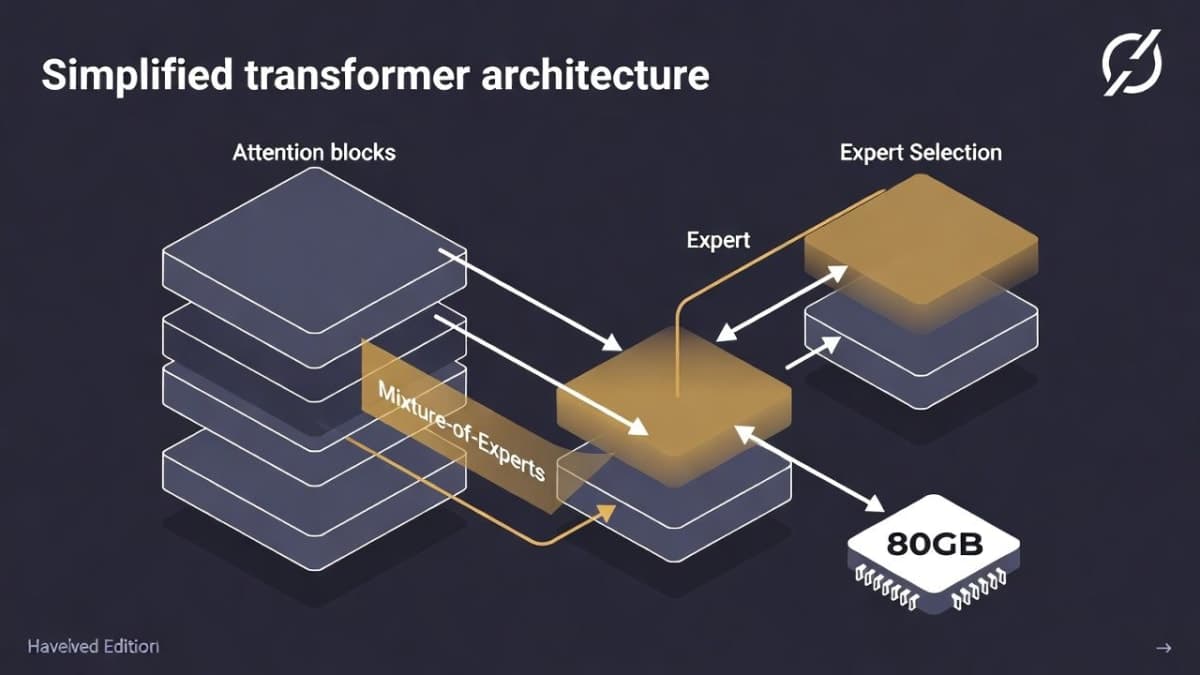
The MoE layers use a top-4 router with sigmoid gating. Each token gets dispatched to 4 of the available experts, and the router learns which experts to activate. The SwiGLU activation in each expert includes clamping (to prevent numerical instability) and a residual connection.
For positional encoding, the implementation builds RoPE from scratch with YaRN and NTK-by-parts scaling, which is what allows the model to handle its 128K native context length. The README's treatment of this is genuinely one of the better explanations I've seen of the RoPE scaling progression, from vanilla RoPE through position interpolation to NTK-aware approaches.
I should clarify: while the model supports 128K context, actually running that full length on a single A100 would likely OOM during prefill. The implementation doesn't include memory optimizations like flash attention or paged attention. For shorter contexts (a few thousand tokens), it works fine.
Each attention layer also uses learned "sinks," which are learned tokens that absorb disproportionate attention mass. This is a known technique for stabilizing attention patterns in long sequences, and it's cool to see it implemented explicitly.
Troubleshooting
Symptom: CUDA out of memory during generation.
Fix: Reduce max_tokens or use a shorter prompt. The KV cache grows linearly with sequence length. If you're hitting this with short sequences, check that no other process is using GPU memory (nvidia-smi).
Symptom: FileNotFoundError on the checkpoint path.
Fix: Double-check that checkpoint_path points to the original/ subdirectory, not the parent gpt-oss-20b/ folder.
Symptom: Weight loading is extremely slow (minutes instead of seconds). Fix: This usually means the weights are on a network-mounted filesystem. Copy them to local SSD storage on your instance.
Symptom: ModuleNotFoundError for torch or tokenizers.
Fix: Make sure the gptoss conda environment is activated. Run conda activate gptoss and retry.
What's Next
Once you've run basic inference, the real value of this repo is reading through model.py alongside the README's theory sections. If you want to understand how GQA reduces memory, or why NTK-by-parts outperforms naive position interpolation, the code and documentation together make a solid self-study unit. For production inference with the same model, look at OpenAI's official Triton implementation or the vLLM integration.
PRO TIPS
The weights.py file handles the conversion between OpenAI's checkpoint format and the from-scratch model's parameter names. If you're modifying the architecture, this is where things will break first.
Set temperature: float = 0.0 for fully reproducible output, which is useful when comparing your results against the official implementation.
If you want to experiment with shorter sliding window sizes or different numbers of active experts, the relevant constants are in model.py. The model won't produce coherent output with different settings (since the weights were trained with specific hyperparameters), but it's instructive to see how the outputs degrade.
You can run on CPU by setting device: torch.device = torch.device("cpu"), but generation will take minutes per token. Only useful for verifying correctness on small inputs.
FAQ
Q: How does this differ from OpenAI's official PyTorch implementation?
A: OpenAI's version in gpt_oss/torch/model.py also uses basic PyTorch ops but includes tensor parallelism support for multi-GPU setups. HamzaElshafie's version is single-GPU only, but includes extensive inline documentation and a theoretical writeup covering each component.
Q: Can I run this on a 4090 or other consumer GPU? A: The 4090 has 24GB VRAM, which isn't enough for the full BF16 weights. The model has 21B total parameters. You'd need quantization, which this implementation doesn't support. Check the Ollama integration for a quantized version that runs on consumer hardware.
Q: Is this implementation training-capable? A: No. It's inference only. There's no optimizer, gradient computation, or loss function. The repo's "Future Work" section mentions training as a planned addition, but as of now it's read-only.
Q: What's the "harmony" format mentioned in the official docs?
A: OpenAI's gpt-oss models were trained using a specific chat template they call "harmony." If you're using the Hugging Face transformers pipeline or OpenAI's official code, the template is applied automatically. HamzaElshafie's implementation takes raw text prompts, so you'll need to format inputs manually if you want multi-turn chat behavior.
Q: Why does the repo spell it "requirments.txt"? A: Typo. It installs fine.
RESOURCES
- HamzaElshafie/gpt-oss-20B on GitHub: The from-scratch implementation, with full architecture documentation
- OpenAI's official gpt-oss repo: Reference implementations (PyTorch, Triton, Metal) and tools
- GPT-OSS-20B model card on Hugging Face: Weights, tokenizer, and official model card
- arXiv paper (2508.10925): The technical model card/paper covering architecture and training details
- OpenAI's gpt-oss announcement: Overview of the model family and benchmark results