QUICK INFO
| Difficulty | Intermediate to Advanced |
| Time Required | 45-60 minutes to read; 2-4 weeks to implement |
| Prerequisites | Working knowledge of LLM APIs, Python or JavaScript, basic containerization concepts |
| Tools Needed | LLM API access (OpenAI, Anthropic, or Google), Docker, Kubernetes (optional), GitHub account |
What You'll Learn:
- How to decompose complex tasks into single-responsibility agents
- When to use direct function calls versus MCP tool integration
- How to implement a multi-model consortium for bias reduction
- How to deploy containerized agentic workflows to production
This guide covers the architecture and implementation of production-quality multi-agent AI systems based on research from Old Dominion University, Deloitte, and Nanyang Technological University. The focus is on practical engineering patterns rather than theoretical concepts. You should already understand how to call LLM APIs and build basic agent loops.
Getting Started
Production agentic AI differs from prototype scripts in three ways: determinism (same input produces same output), observability (you can trace why an agent made a decision), and maintainability (you can update one component without breaking others).
The reference implementation uses a podcast-generation workflow that:
- Scrapes news from RSS feeds
- Filters content by topic relevance
- Generates scripts using multiple LLMs
- Consolidates output through a reasoning agent
- Produces audio and video files
- Publishes results to GitHub automatically
This architecture demonstrates all nine best practices in a single production system.
Architecture Overview
The workflow chains specialized agents in sequence:
User Input → Web Search Agent → Topic Filter Agent → Web Scrape Agent
    → Podcast Script Agents (multiple LLMs) → Reasoning Agent
    → Audio/Video Script Agent → TTS/Video Generator → GitHub PR
Each agent handles exactly one task. The orchestration layer manages handoffs between agents using deterministic logic rather than LLM-based routing.
Best Practice 1: Prefer Tool Calls Over MCP
Model Context Protocol (MCP) provides standardized communication between agents and external services. However, MCP introduces abstraction layers that reduce determinism.
When MCP Fails
The research team initially used the GitHub MCP server to create pull requests. They observed:
- Ambiguous tool-selection decisions
- Inconsistent parameter inference
- Non-deterministic MCP responses that varied between runs
Despite repeated refinement of agent instructions, the behavior remained unstable with flickering failures.
The Fix
Replace MCP integration with direct function calls that agents invoke explicitly.
Before (MCP-based):
# Agent must interpret MCP tool definitions and reason through metadata
agent.configure_mcp_server("github-mcp-server")
agent.invoke_mcp_tool("create_pull_request", params)
After (Direct tool call):
# Explicit function with clear parameters
def create_github_pr(repo: str, branch: str, title: str, body: str) -> dict:
    # Direct GitHub API call
    return github_client.create_pr(repo, branch, title, body)

# Agent calls function directly
result = create_github_pr(
    repo="org/podcast-output",
    branch="episode-2024-12-11",
    title="New Episode: AI News Roundup",
    body=script_content
)
Expected result: The PR creation step becomes deterministic. Failures produce clear error messages instead of ambiguous MCP responses.
When to Use MCP
MCP remains appropriate when:
- You need standardized access for multiple MCP-enabled clients (Claude Desktop, VS Code, LM Studio)
- The external service has no direct API
- You're building a platform where users bring their own integrations
For internal workflow operations where you control both ends, direct calls are more reliable.
Best Practice 2: Use Direct Function Calls Over Agent Tool Calls
Even with direct tools (not MCP), tool calls require the LLM to parse instructions, interpret parameters, and map natural language to function arguments. For operations that do not require language reasoning, this overhead is unnecessary.
Operations That Don't Need LLM Reasoning
- Posting data to an API
- Committing files to GitHub
- Writing to databases
- Generating timestamps
- File system operations
- HTTP requests
Implementation Pattern
Before (Agent with tool):
class PRAgent:
    tools = [create_github_pr_tool]

    def run(self, script_content):
        # LLM must reason about tool parameters
        # Token overhead + potential for misinterpretation
        return self.call_model_with_tools(
            f"Create a PR with this content: {script_content}"
        )
After (Pure function in orchestration layer):
class WorkflowController:
    def publish_results(self, script_content):
        # Direct function call - deterministic, testable, cheap
        return create_github_pr(
            repo=self.config.output_repo,
            branch=f"episode-{date.today()}",
            title=self.generate_title(script_content),
            body=script_content
        )
Expected result: The workflow controller handles infrastructure operations directly. LLM agents focus on tasks that require language understanding.
Decision Framework
Ask: "Does this step require the LLM to understand, reason, or generate language?"
- Yes: Use an agent with tool access
- No: Use a pure function in the orchestration layer
Best Practice 3: One Agent, One Tool
Attaching multiple tools to a single agent increases prompt complexity. The model must first decide which tool to invoke, then structure parameters correctly. This creates two failure modes instead of one.
Observed Failure Patterns
The research team designed an agent with two tools: scrape_markdown and publish_markdown. The intent was to scrape webpage content and publish the extracted markdown for audit purposes.
During evaluation:
- The agent sometimes invoked only one tool
- Sometimes invoked them in the wrong order
- Sometimes failed to call either tool, especially with larger inputs
Decomposition Pattern
Before (Multi-tool agent):
class ContentAgent:
    tools = [scrape_markdown, publish_markdown]

    prompt = """
    You have access to two tools:
    1. scrape_markdown - Extract content from URL
    2. publish_markdown - Save content to storage

    For each URL, scrape the content and then publish it.
    """
After (Single-tool agents):
class ScraperAgent:
    tools = [scrape_markdown]
    prompt = "Extract markdown content from the provided URL."

class PublisherAgent:
    tools = [publish_markdown]
    prompt = "Publish the provided markdown to storage."

# Orchestration handles sequencing
def process_url(url):
    content = scraper_agent.run(url)
    publisher_agent.run(content)
Expected result: Each agent has exactly one decision to make (how to parameterize its single tool). Tool-selection ambiguity disappears.
Best Practice 4: Single-Responsibility Agents
Separate from tool count, each agent should handle one conceptual responsibility. When an agent must generate, validate, transform, and execute in the same step, prompting becomes complex and failures become opaque.
Case Study: Veo-3 Video Generation
An early design combined video prompt generation and video creation in one agent. The agent received a script and was instructed to:
- Transform the script into Veo-3 JSON specification
- Generate the corresponding video
This blurred planning (designing the video prompt) and execution (calling the Veo API).
Observed failures:
- Malformed JSON output
- Mixed natural language with JSON
- Hallucinated file paths and status messages about generation that hadn't occurred
Decomposition
Veo JSON Builder Agent:
class VeoJSONBuilderAgent:
    """
    Single responsibility: Transform script into valid Veo-3 JSON.
    Output contract: Always returns valid JSON, nothing else.
    """

    prompt = """
    Convert the provided script into a Veo-3 JSON specification.

    Output ONLY valid JSON with this structure:
    {
        "scenes": [...],
        "timing": {...},
        "style": {...}
    }

    Do not include explanations or status messages.
    """
Video Generation Function (not an agent):
def generate_video(veo_json: dict) -> str:
    """
    Deterministic function that calls Veo API.
    Handles retries, error checking, file storage.
    Returns path to generated MP4.
    """
    response = veo_client.generate(veo_json)
    video_path = save_video(response.video_data)
    return video_path
Expected result: The agent's output is always parseable JSON. Side effects (API calls, file storage) happen in testable, deterministic code.
Best Practice 5: Store Prompts Externally
Embedding prompts in source code creates tight coupling between agent behavior and application deployment. Changes to prompts require code deployments. Non-technical stakeholders cannot iterate on agent instructions.
External Prompt Management
Store prompts in a dedicated repository, configuration service, or shared drive. Load them at runtime.
Project structure:
prompts/
├── agents/
│   ├── web-search-agent.md
│   ├── topic-filter-agent.md
│   ├── podcast-script-agent.md
│   ├── reasoning-agent.md
│   └── veo-builder-agent.md
└── config/
    └── prompt-versions.yaml
Runtime loading:
class PromptManager:
    def __init__(self, repo_url: str):
        self.repo = GitHubClient(repo_url)

    def get_prompt(self, agent_name: str, version: str = "latest") -> str:
        return self.repo.get_file(f"agents/{agent_name}.md", ref=version)

# Agent initialization
prompt_manager = PromptManager("org/workflow-prompts")
podcast_agent = Agent(
    prompt=prompt_manager.get_prompt("podcast-script-agent")
)
Expected result: Domain experts can update prompts through pull requests. You can A/B test prompt variations without code changes. Rollback is a git revert.
Governance Workflows
External prompts enable:
- Review processes before prompt changes go live
- Version pinning for reproducibility
- Controlled access through repository permissions
- Audit trails of who changed what and when
Best Practice 6: Multi-Model Consortium for Responsible AI
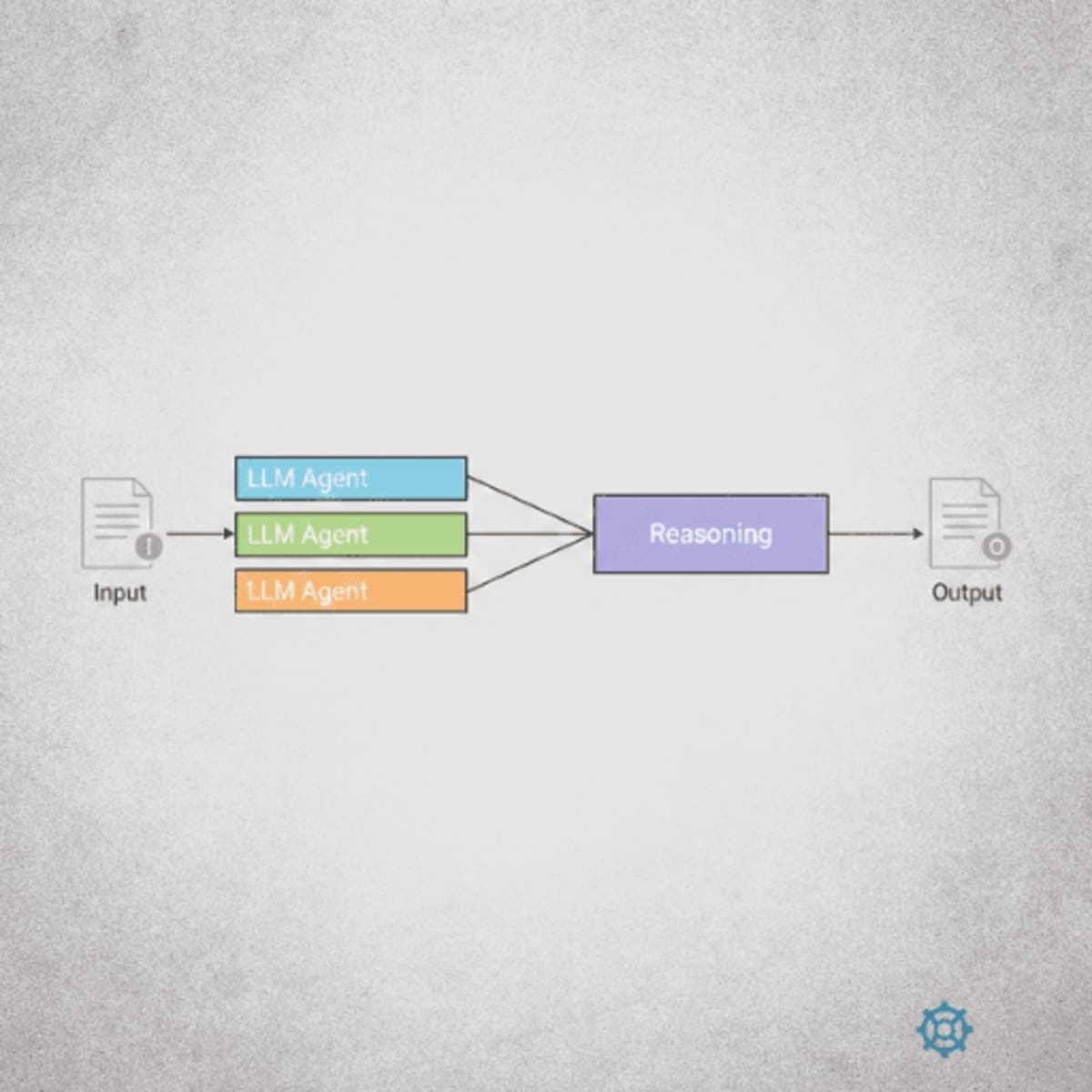
Single-model outputs suffer from hallucinations, reasoning inconsistencies, and biases specific to that model's training. A multi-model consortium generates diverse outputs that a reasoning agent then consolidates.
Consortium Architecture
                    ┌─────────────────┐
                    │   Input Data    │
                    └────────┬────────┘
                             │
          ┌──────────────────┼──────────────────┐
          ▼                  ▼                  ▼
   ┌─────────────┐    ┌─────────────┐    ┌─────────────┐
   │   Claude    │    │   GPT-4     │    │   Gemini    │
   │   Agent     │    │   Agent     │    │   Agent     │
   └──────┬──────┘    └──────┬──────┘    └──────┬──────┘
          │                  │                  │
          └──────────────────┼──────────────────┘
                             ▼
                    ┌─────────────────┐
                    │  Reasoning LLM  │
                    │  (Consolidation)│
                    └────────┬────────┘
                             ▼
                    ┌─────────────────┐
                    │  Final Output   │
                    └─────────────────┘
Implementation
Parallel script generation:
async def generate_scripts(content: str) -> list[str]:
    tasks = [
        claude_agent.generate(content),
        gpt_agent.generate(content),
        gemini_agent.generate(content)
    ]
    return await asyncio.gather(*tasks)
Reasoning agent prompt:
You are a consolidation agent. You receive multiple drafts of the same
content from different AI models.

Your task:
1. Compare all drafts for factual consistency
2. Identify claims that appear in multiple drafts (high confidence)
3. Flag claims that appear in only one draft (verify or remove)
4. Resolve contradictions by favoring the most conservative claim
5. Remove speculation not grounded in the source material
6. Produce a single unified output

Do not add new information. Only synthesize what the drafts provide.
Consolidation:
def consolidate(drafts: list[str], source_content: str) -> str:
    return reasoning_agent.run(
        f"""
        Source material:
        {source_content}

        Draft 1 (Claude):
        {drafts[0]}

        Draft 2 (GPT):
        {drafts[1]}

        Draft 3 (Gemini):
        {drafts[2]}

        Produce a consolidated script following your instructions.
        """
    )
Expected result: The final output reflects cross-model agreement. Single-model hallucinations get filtered out during consolidation.
Benefits
- Higher accuracy through consensus
- Reduced bias by incorporating diverse model behaviors
- Robustness to model updates (if one model degrades, others compensate)
- Auditability (you can trace which models agreed on which claims)
Best Practice 7: Separate Workflow Engine from MCP Server
To expose workflows to MCP-enabled clients (Claude Desktop, VS Code, LM Studio), serve the workflow via REST API and use the MCP server as a thin adapter.
Architecture
┌─────────────────────────────────────────────────────────┐
│                    MCP Clients                          │
│  (Claude Desktop, VS Code, LM Studio)                   │
└─────────────────────┬───────────────────────────────────┘
                      │ MCP Protocol
                      ▼
┌─────────────────────────────────────────────────────────┐
│                    MCP Server                           │
│  (Thin adapter - forwards calls to REST API)            │
└─────────────────────┬───────────────────────────────────┘
                      │ HTTP/REST
                      ▼
┌─────────────────────────────────────────────────────────┐
│                  Workflow REST API                      │
│  /api/v1/workflow/start                                 │
│  /api/v1/workflow/status                                │
│  /api/v1/workflow/results                               │
└─────────────────────┬───────────────────────────────────┘
                      │
                      ▼
┌─────────────────────────────────────────────────────────┐
│              Workflow Engine                            │
│  (Agent orchestration, tool integration)                │
└─────────────────────────────────────────────────────────┘
MCP Server Implementation
# mcp_server.py - Thin adapter only
from mcp import Server, Tool
import httpx

server = Server("podcast-workflow")
api_client = httpx.Client(base_url="http://workflow-api:8000")

@server.tool("generate_podcast")
def generate_podcast(topic: str, sources: list[str]) -> dict:
    """MCP tool that forwards to workflow API"""
    response = api_client.post(
        "/api/v1/workflow/start",
        json={"topic": topic, "sources": sources}
    )
    return response.json()

@server.tool("check_status")
def check_status(workflow_id: str) -> dict:
    response = api_client.get(f"/api/v1/workflow/status/{workflow_id}")
    return response.json()
Expected result: The MCP server stays simple and stable. The workflow engine can iterate rapidly without affecting the MCP interface. Components scale independently.
Best Practice 8: Containerized Deployment
Package the workflow engine and MCP server in Docker containers. Orchestrate with Kubernetes for production deployments.
Dockerfile for Workflow Engine
FROM python:3.11-slim

WORKDIR /app

COPY requirements.txt .
RUN pip install --no-cache-dir -r requirements.txt

COPY workflow/ ./workflow/
COPY agents/ ./agents/
COPY config/ ./config/

EXPOSE 8000

CMD ["uvicorn", "workflow.api:app", "--host", "0.0.0.0", "--port", "8000"]
Kubernetes Deployment
# workflow-deployment.yaml
apiVersion: apps/v1
kind: Deployment
metadata:
  name: podcast-workflow
spec:
  replicas: 3
  selector:
    matchLabels:
      app: podcast-workflow
  template:
    metadata:
      labels:
        app: podcast-workflow
    spec:
      containers:
      - name: workflow
        image: org/podcast-workflow:v1.2.0
        ports:
        - containerPort: 8000
        env:
        - name: OPENAI_API_KEY
          valueFrom:
            secretKeyRef:
              name: llm-secrets
              key: openai-key
        - name: ANTHROPIC_API_KEY
          valueFrom:
            secretKeyRef:
              name: llm-secrets
              key: anthropic-key
        resources:
          requests:
            memory: "512Mi"
            cpu: "250m"
          limits:
            memory: "2Gi"
            cpu: "1000m"
        livenessProbe:
          httpGet:
            path: /health
            port: 8000
          initialDelaySeconds: 10
          periodSeconds: 30
---
apiVersion: v1
kind: Service
metadata:
  name: podcast-workflow
spec:
  selector:
    app: podcast-workflow
  ports:
  - port: 80
    targetPort: 8000
Expected result: The workflow scales automatically based on load. Failed pods restart. Secrets are managed securely. Rolling updates deploy without downtime.
Operational Benefits
- Portability: Runs identically in dev, staging, and production
- Scalability: Kubernetes auto-scales based on CPU/memory or custom metrics
- Resilience: Health checks and automatic pod restarts
- Security: Network policies, RBAC, secret management
- Observability: Integration with Prometheus, Grafana, OpenTelemetry
Best Practice 9: Keep It Simple
Agentic workflows delegate reasoning to LLMs. They do not need complex internal architectures. Avoid:
- Deep inheritance hierarchies
- Microservice-like decomposition within the workflow
- Multiple indirection layers
- Design patterns that add abstraction without value
What Simple Looks Like
Simple workflow structure:
workflow/
├── main.py              # Entry point
├── agents.py            # Agent definitions (one per agent)
├── tools.py             # Pure functions
├── orchestrator.py      # Sequential agent coordination
└── config.py            # Settings
Simple orchestration:
# orchestrator.py
async def run_podcast_workflow(topic: str, sources: list[str]) -> dict:
    # Step 1: Search
    articles = await web_search_agent.run(sources)

    # Step 2: Filter
    relevant = await topic_filter_agent.run(articles, topic)

    # Step 3: Scrape
    content = await scrape_content(relevant)  # pure function

    # Step 4: Generate scripts (parallel)
    drafts = await generate_scripts(content)

    # Step 5: Consolidate
    final_script = await reasoning_agent.run(drafts)

    # Step 6: Generate media
    audio_path = await generate_audio(final_script)  # pure function
    video_json = await veo_builder_agent.run(final_script)

    # Step 7: Publish
    pr_url = create_github_pr(final_script, audio_path, video_json)

    return {"script": final_script, "audio": audio_path, "pr": pr_url}
Expected result: Anyone can read the orchestrator and understand the workflow in under a minute. AI coding assistants can modify the code accurately because the structure is flat and obvious.
Why Simplicity Matters for AI-Assisted Development
Modern AI coding tools (Claude, GitHub Copilot) perform better on simple codebases:
- Fewer files to track in context
- Clear function boundaries
- Obvious data flow
- No hidden state in nested abstractions
A simple workflow gets better suggestions from AI tools and requires less manual debugging.
Troubleshooting
Symptom: Agent invokes wrong tool or no tool at all Fix: Check if the agent has multiple tools attached. Split into single-tool agents. Verify the prompt clearly describes when to use the tool.
Symptom: MCP tool calls return inconsistent results across runs Fix: Replace MCP integration with direct function calls for that operation. Reserve MCP for external client access only.
Symptom: Reasoning agent adds hallucinated content not in source drafts Fix: Strengthen the prompt constraint: "Do not add information. Only synthesize from the provided drafts." Consider adding a verification step that checks output against source material.
Symptom: Kubernetes pods crash during high load Fix: Check memory limits. LLM API calls can buffer large responses. Increase memory limits or implement streaming responses. Add horizontal pod autoscaling based on request queue depth.
Symptom: Prompt changes don't take effect Fix: Verify the prompt manager is fetching the correct version. Check for caching in the application. Restart pods if prompts are loaded at startup only.
What's Next
You now have a blueprint for production-grade agentic AI workflows. The reference implementation (podcast-generation workflow) is available in the GitLab repository.
For MCP server integration, see the companion MCP server repository.
PRO TIPS
Use
asyncio.gather()for parallel agent execution when agents don't depend on each other's output. The podcast workflow runs three LLM agents simultaneously, reducing total latency from 3x to 1x the single-agent time.Pin prompt versions in production configs (e.g.,
prompt_version: "v2.3.1"). This prevents unexpected behavior changes when someone updates prompts in the repository.Add request IDs to every workflow execution and propagate them through all agent calls. This makes distributed tracing possible when debugging failures across multiple agents.
Set explicit timeouts on all LLM API calls. Without timeouts, a slow response blocks the entire workflow. The research implementation uses 30-second timeouts with automatic retry.
Log the complete prompt sent to each agent (not just the template). When an agent misbehaves, you need to see exactly what input it received, including dynamic content.
COMMON MISTAKES
Using MCP for internal operations: MCP adds latency and ambiguity. Use it only for external client access. Internal operations should use direct function calls or REST APIs.
Letting agents chain themselves: Avoid patterns where Agent A decides to call Agent B. The orchestration layer should control sequencing. Agent-to-agent calls create hidden dependencies that are hard to debug and impossible to test in isolation.
Skipping the reasoning agent for "simple" tasks: Even straightforward tasks benefit from multi-model consensus. A single model can confidently produce wrong output. The reasoning step catches errors that no single model would flag.
Over-engineering the orchestration layer: The workflow controller should be a flat sequence of function calls. If you're building state machines, dependency injection frameworks, or plugin architectures, you're adding complexity that makes debugging harder and AI coding assistants less effective.
PROMPT TEMPLATES
Topic Filtering Agent
You are a topic relevance classifier.

Given a list of article URLs and titles, return only those relevant to the
specified topic. Be inclusive - if an article might be relevant, include it.

Topic: {{topic}}

Articles:
{{articles_json}}

Return a JSON array of relevant URLs only:
["url1", "url2", ...]
Customize by: Adjusting the topic specificity. For broad topics like "AI news," use loose matching. For specific topics like "transformer architecture improvements," require explicit mentions.
Example output:
["https://example.com/ai-regulation-update", "https://example.com/new-llm-benchmark"]
Reasoning/Consolidation Agent
You consolidate multiple AI-generated drafts into a single authoritative output.

Instructions:
1. Identify claims present in 2+ drafts (high confidence - include)
2. Flag claims in only 1 draft (low confidence - verify against source or remove)
3. Resolve contradictions by choosing the more conservative statement
4. Remove speculation not supported by source material
5. Maintain consistent tone and structure

Source material:
{{source_content}}

Draft 1 ({{model_1_name}}):
{{draft_1}}

Draft 2 ({{model_2_name}}):
{{draft_2}}

Draft 3 ({{model_3_name}}):
{{draft_3}}

Produce a consolidated version. Do not add new information.
Customize by: Adding domain-specific verification rules. For medical content, require citations. For news, require date verification.
Example output: A unified script that contains only claims supported by multiple models, with speculative statements removed.
FAQ
Q: How many LLMs should be in the consortium? A: Three is the practical minimum for meaningful consensus. Five provides better coverage but increases cost and latency. The research used three (Claude, GPT, Gemini) for a balance of diversity and efficiency.
Q: Can I use the same model family for all consortium agents? A: Using the same model (e.g., three GPT instances) provides no diversity benefit. The value comes from different training data and reasoning approaches across model families.
Q: How do I handle rate limits across multiple LLM providers? A: Implement exponential backoff with jitter at the agent level. The orchestrator should catch rate limit errors and retry with delays. For sustained high volume, use separate API keys per agent or queue requests.
Q: What if the reasoning agent disagrees with all input drafts? A: This indicates a prompt or source material problem. The reasoning agent should not generate novel content. If it's rejecting all drafts, check that the source material actually supports the topic and that draft agent prompts are correctly constrained.
Q: Is Kubernetes required for production deployment? A: No, but it simplifies scaling and operations. You can run containerized workflows on any Docker host. Kubernetes becomes valuable when you need auto-scaling, rolling updates, and multi-replica deployments.
Q: How do I version prompts alongside code? A: Store prompts in a separate repository with semantic versioning. Pin prompt versions in your workflow config file. When deploying a new workflow version, specify which prompt versions it requires. This decouples prompt iteration from code deployments.
RESOURCES
Original Research Paper: A Practical Guide for Designing, Developing, and Deploying Production-Grade Agentic AI Workflows: The academic paper this guide is based on, with detailed evaluation results and additional architectural diagrams.
Podcast Workflow Implementation: Complete source code for the reference workflow including agent definitions, tool functions, and Kubernetes manifests.
MCP Server Implementation: The MCP adapter that exposes the workflow to MCP-enabled clients.
OpenAI Agents SDK: The SDK used in the reference implementation for agent orchestration.
Model Context Protocol Specification: Official MCP documentation for building MCP servers and understanding the protocol.