QUICK INFO
| Difficulty | Beginner |
| Time Required | 30-45 minutes |
| Prerequisites | Python 3.10+, basic Python knowledge, API key from OpenAI/Anthropic/Groq |
| Tools Needed | Python 3.10+, pip, terminal access, code editor |
What You'll Learn:
- Create and run single AI agents with custom instructions
- Add tools that let agents interact with external services
- Build multi-agent teams that collaborate on complex tasks
- Persist agent memory and connect knowledge bases for RAG
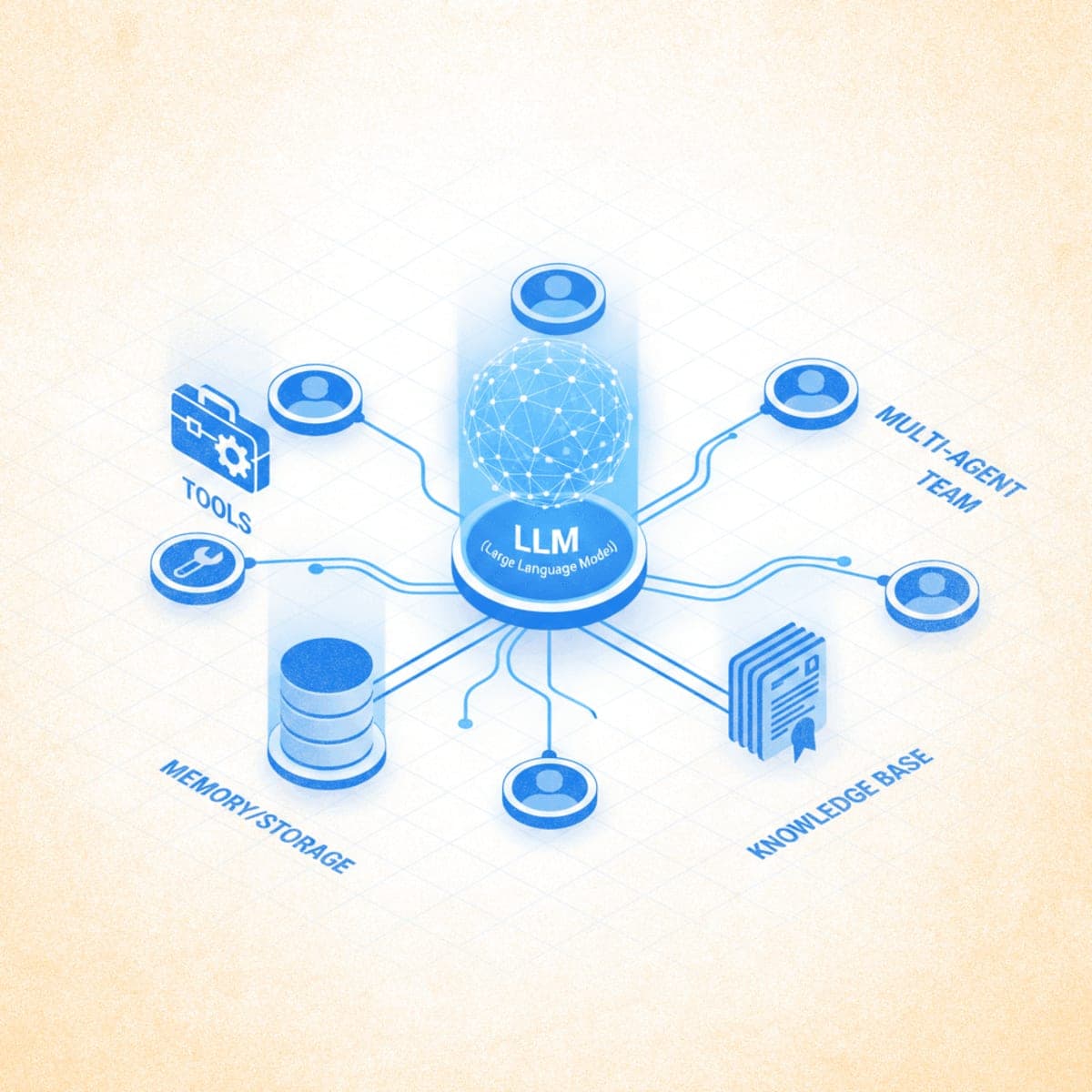
This guide walks you through building AI agents with Agno, from your first agent to coordinated multi-agent teams. Agno is an open-source Python framework for creating agents with tools, memory, knowledge, and reasoning capabilities. You'll need Python 3.10+ and an API key from OpenAI, Anthropic, or Groq.
Getting Started
Step 1: Install Agno
Open your terminal and install the core framework:
pip install agno
Install additional packages based on your model provider:
# For OpenAI models
pip install openai

# For Anthropic Claude models
pip install anthropic

# For Groq models
pip install groq
Expected result: No errors during installation. Verify with pip show agno to confirm version 2.x.
Step 2: Set Up Your API Key
Set your API key as an environment variable. The framework reads this automatically.
For OpenAI:
export OPENAI_API_KEY="sk-your-key-here"
For Anthropic:
export ANTHROPIC_API_KEY="your-key-here"
For Groq:
export GROQ_API_KEY="your-key-here"
Add the export command to your shell profile (.bashrc, .zshrc) to persist it across sessions.
Creating Your First Agent
Step 3: Build a Basic Agent
Create a file called basic_agent.py:
from agno.agent import Agent
from agno.models.openai import OpenAIChat

agent = Agent(
    model=OpenAIChat(id="gpt-4o-mini"),
    description="You are a helpful assistant that answers questions clearly.",
    markdown=True
)

agent.print_response("What are the three laws of thermodynamics?", stream=True)
Run the agent:
python basic_agent.py
Expected result: The agent streams a markdown-formatted response explaining thermodynamics.
The Agent class takes several key parameters:
| Parameter | Purpose |
|---|---|
model |
The LLM to use (OpenAI, Claude, Groq, Ollama) |
description |
System prompt defining the agent's role |
instructions |
List of specific behavioral guidelines |
markdown |
Format responses in markdown when True |
show_tool_calls |
Display tool invocations in output |
Step 4: Use Different Model Providers
Agno supports multiple LLM providers with a consistent interface.
Anthropic Claude:
from agno.agent import Agent
from agno.models.anthropic import Claude

agent = Agent(
    model=Claude(id="claude-sonnet-4-20250514"),
    description="You are a technical writing assistant."
)
Groq (fast inference):
from agno.agent import Agent
from agno.models.groq import Groq

agent = Agent(
    model=Groq(id="llama-3.3-70b-versatile"),
    description="You are a research assistant."
)
Ollama (local models):
from agno.agent import Agent
from agno.models.ollama import Ollama

agent = Agent(
    model=Ollama(id="llama3.1:8b"),
    description="You are a coding assistant."
)
Adding Tools to Agents
Tools let agents interact with external services, APIs, and data sources. Without tools, agents can only generate text. With tools, they can search the web, query databases, access files, and perform calculations.
Step 5: Add Web Search Capability
Install the DuckDuckGo search package:
pip install duckduckgo-search
Create web_search_agent.py:
from agno.agent import Agent
from agno.models.openai import OpenAIChat
from agno.tools.duckduckgo import DuckDuckGoTools

agent = Agent(
    model=OpenAIChat(id="gpt-4o"),
    tools=[DuckDuckGoTools()],
    instructions=["Always include sources when citing information."],
    show_tool_calls=True,
    markdown=True
)

agent.print_response("What are the latest developments in fusion energy?", stream=True)
Expected result: The agent searches the web, displays the tool call, and synthesizes results with source citations.
Step 6: Add Financial Data Tools
Install the yfinance package:
pip install yfinance
Create finance_agent.py:
from agno.agent import Agent
from agno.models.openai import OpenAIChat
from agno.tools.yfinance import YFinanceTools

agent = Agent(
    model=OpenAIChat(id="gpt-4o"),
    tools=[YFinanceTools(
        stock_price=True,
        analyst_recommendations=True,
        company_info=True,
        company_news=True
    )],
    instructions=["Use tables to display financial data.", "Include current date context."],
    show_tool_calls=True,
    markdown=True
)

agent.print_response("Give me a financial overview of NVIDIA (NVDA)", stream=True)
Step 7: Create Custom Tools
Any Python function can become a tool. The function's docstring tells the agent when and how to use it.
Create custom_tool_agent.py:
import json
import httpx
from agno.agent import Agent
from agno.models.openai import OpenAIChat

def get_top_hackernews_stories(num_stories: int = 5) -> str:
    """
    Fetch top stories from Hacker News.

    Args:
        num_stories: Number of stories to return (default 5)

    Returns:
        JSON string containing story titles and URLs
    """
    response = httpx.get("https://hacker-news.firebaseio.com/v0/topstories.json")
    story_ids = response.json()[:num_stories]

    stories = []
    for story_id in story_ids:
        story_response = httpx.get(f"https://hacker-news.firebaseio.com/v0/item/{story_id}.json")
        story = story_response.json()
        stories.append({
            "title": story.get("title"),
            "url": story.get("url"),
            "score": story.get("score")
        })

    return json.dumps(stories, indent=2)

agent = Agent(
    model=OpenAIChat(id="gpt-4o-mini"),
    tools=[get_top_hackernews_stories],
    show_tool_calls=True,
    markdown=True
)

agent.print_response("What are the top 5 stories on Hacker News right now?", stream=True)
Step 8: Build a Custom Toolkit Class
For multiple related tools, create a toolkit class:
from typing import List
from agno.agent import Agent
from agno.models.openai import OpenAIChat
from agno.tools import Toolkit

class CalculatorTools(Toolkit):
    def __init__(self):
        super().__init__(
            name="calculator_tools",
            tools=[self.add, self.multiply, self.power]
        )

    def add(self, a: float, b: float) -> float:
        """Add two numbers together.

        Args:
            a: First number
            b: Second number

        Returns:
            Sum of a and b
        """
        return a + b

    def multiply(self, a: float, b: float) -> float:
        """Multiply two numbers.

        Args:
            a: First number
            b: Second number

        Returns:
            Product of a and b
        """
        return a * b

    def power(self, base: float, exponent: float) -> float:
        """Raise base to the power of exponent.

        Args:
            base: The base number
            exponent: The exponent

        Returns:
            base raised to exponent
        """
        return base ** exponent

agent = Agent(
    model=OpenAIChat(id="gpt-4o-mini"),
    tools=[CalculatorTools()],
    show_tool_calls=True
)

agent.print_response("What is 25 raised to the power of 3, then add 100?")
Adding Memory and Storage
Memory lets agents recall information across conversations. Storage persists session history to a database.
Step 9: Enable Session Storage
Create agent_with_storage.py:
from agno.agent import Agent
from agno.models.openai import OpenAIChat
from agno.storage.sqlite import SqliteStorage

agent = Agent(
    model=OpenAIChat(id="gpt-4o-mini"),
    storage=SqliteStorage(
        table_name="agent_sessions",
        db_file="agent_data.db"
    ),
    add_history_to_messages=True,
    markdown=True
)

# First conversation
agent.print_response("My name is Alex and I'm learning about AI agents.", stream=True)

# The agent remembers context from the same session
agent.print_response("What's my name and what am I learning about?", stream=True)
Expected result: The agent correctly recalls "Alex" and "AI agents" from the earlier message.
Step 10: Enable User Memory
User memory persists information about specific users across sessions:
from agno.agent import Agent
from agno.models.openai import OpenAIChat
from agno.memory.v2.db.sqlite import SqliteMemoryDb
from agno.memory.v2.memory import Memory

memory_db = SqliteMemoryDb(db_file="user_memories.db")
memory = Memory(db=memory_db)

agent = Agent(
    model=OpenAIChat(id="gpt-4o-mini"),
    memory=memory,
    enable_agentic_memory=True,
    markdown=True
)

# The agent creates memories about user preferences
agent.print_response(
    "I prefer Python over JavaScript and I'm interested in machine learning.",
    stream=True
)
Adding Knowledge Bases (RAG)
Knowledge bases let agents search your documents, websites, or databases to ground responses in specific information.
Step 11: Create a Knowledge Base
Install the required packages:
pip install lancedb
Create knowledge_agent.py:
from agno.agent import Agent
from agno.models.openai import OpenAIChat
from agno.knowledge.knowledge import Knowledge
from agno.vectordb.lancedb import LanceDb
from agno.embedder.openai import OpenAIEmbedder

# Create vector database for knowledge storage
knowledge = Knowledge(
    vector_db=LanceDb(
        table_name="documents",
        uri="tmp/lancedb",
        embedder=OpenAIEmbedder(id="text-embedding-3-small")
    )
)

# Add content to the knowledge base
knowledge.load_text("""
Agno is a multi-agent framework for Python. Key features include:
- Agent creation with tools, memory, and knowledge
- Multi-agent teams with coordination modes
- Workflows for deterministic execution
- AgentOS for production deployment
- Support for 20+ vector databases
- 100+ built-in toolkits
""")

agent = Agent(
    model=OpenAIChat(id="gpt-4o-mini"),
    knowledge=knowledge,
    search_knowledge=True,
    instructions=["Search your knowledge base before answering questions about Agno."],
    markdown=True
)

agent.print_response("What are the key features of Agno?", stream=True)
Step 12: Load Knowledge from URLs
from agno.knowledge.website import WebsiteKnowledge

# Load content from a website
website_knowledge = WebsiteKnowledge(
    urls=["https://docs.agno.com/introduction"],
    vector_db=LanceDb(
        table_name="website_docs",
        uri="tmp/lancedb"
    )
)

# Load the content (run once)
website_knowledge.load()

agent = Agent(
    model=OpenAIChat(id="gpt-4o-mini"),
    knowledge=website_knowledge,
    search_knowledge=True
)
Building Multi-Agent Teams
When tasks exceed a single agent's scope, create teams of specialized agents that collaborate.
Step 13: Create an Agent Team
Install additional tools:
pip install duckduckgo-search yfinance
Create agent_team.py:
from agno.agent import Agent
from agno.models.openai import OpenAIChat
from agno.tools.duckduckgo import DuckDuckGoTools
from agno.tools.yfinance import YFinanceTools

# Specialist agent for web research
web_agent = Agent(
    name="Web Researcher",
    role="Search the web for current information",
    model=OpenAIChat(id="gpt-4o"),
    tools=[DuckDuckGoTools()],
    instructions=["Always cite sources.", "Focus on recent, reliable information."],
    markdown=True
)

# Specialist agent for financial data
finance_agent = Agent(
    name="Financial Analyst",
    role="Retrieve and analyze financial data",
    model=OpenAIChat(id="gpt-4o"),
    tools=[YFinanceTools(
        stock_price=True,
        analyst_recommendations=True,
        company_info=True
    )],
    instructions=["Present data in tables.", "Include key metrics."],
    markdown=True
)

# Team leader that coordinates the specialists
team = Agent(
    team=[web_agent, finance_agent],
    model=OpenAIChat(id="gpt-4o"),
    instructions=[
        "Delegate research tasks to the Web Researcher.",
        "Delegate financial analysis to the Financial Analyst.",
        "Synthesize findings into a comprehensive response."
    ],
    show_tool_calls=True,
    markdown=True
)

team.print_response(
    "Analyze Tesla's current market position: get the latest stock data and recent news about the company.",
    stream=True
)
Expected result: The team leader delegates to both agents, combines their outputs, and presents a unified analysis.
Step 14: Use the Team Class for Advanced Coordination
For more control over multi-agent behavior, use the Team class:
from agno.agent import Agent
from agno.team.team import Team
from agno.models.openai import OpenAIChat
from agno.models.anthropic import Claude
from agno.tools.duckduckgo import DuckDuckGoTools
from agno.tools.reasoning import ReasoningTools

web_agent = Agent(
    name="Web Search Agent",
    role="Search and gather information from the web",
    model=OpenAIChat(id="gpt-4o"),
    tools=[DuckDuckGoTools()],
    instructions="Always include sources.",
    add_datetime_to_instructions=True
)

analysis_agent = Agent(
    name="Analysis Agent",
    role="Analyze and synthesize information",
    model=OpenAIChat(id="gpt-4o"),
    tools=[ReasoningTools(add_instructions=True)],
    instructions="Provide structured analysis with clear conclusions."
)

research_team = Team(
    name="Research Team",
    mode="coordinate",
    model=Claude(id="claude-sonnet-4-20250514"),
    members=[web_agent, analysis_agent],
    instructions=[
        "Delegate research to the Web Search Agent.",
        "Delegate analysis to the Analysis Agent.",
        "Combine outputs into a comprehensive report."
    ],
    markdown=True,
    show_members_responses=True
)

research_team.print_response(
    "Research the current state of quantum computing and provide an analysis of commercial viability.",
    stream=True
)
The mode parameter controls coordination:
coordinate: Team leader delegates and synthesizes (default)route: Routes to a single appropriate agentcollaborate: Agents work together with shared context
Building Workflows
Workflows provide deterministic, step-by-step execution with full control over the process.
Step 15: Create a Basic Workflow
from typing import Iterator
from agno.agent import Agent, RunResponse
from agno.models.openai import OpenAIChat
from agno.workflow import Workflow

class ResearchWorkflow(Workflow):
    researcher = Agent(
        model=OpenAIChat(id="gpt-4o-mini"),
        instructions=["Research the topic thoroughly."]
    )

    writer = Agent(
        model=OpenAIChat(id="gpt-4o-mini"),
        instructions=["Write clear, concise summaries."]
    )

    def run(self, topic: str) -> Iterator[RunResponse]:
        # Step 1: Research
        research_response = self.researcher.run(f"Research: {topic}")
        research_content = research_response.content

        # Step 2: Write summary based on research
        yield from self.writer.run(
            f"Summarize this research:\n{research_content}",
            stream=True
        )

workflow = ResearchWorkflow()

for response in workflow.run("renewable energy trends in 2025"):
    print(response.content, end="", flush=True)
Step 16: Add State Management to Workflows
from typing import Iterator
from agno.agent import Agent, RunResponse
from agno.models.openai import OpenAIChat
from agno.workflow import Workflow

class CachingWorkflow(Workflow):
    agent = Agent(model=OpenAIChat(id="gpt-4o-mini"))

    def run(self, query: str) -> Iterator[RunResponse]:
        # Check cache first
        if query in self.session_state:
            yield RunResponse(
                run_id=self.run_id,
                content=f"[Cached] {self.session_state[query]}"
            )
            return

        # Run agent and cache result
        yield from self.agent.run(query, stream=True)
        self.session_state[query] = self.agent.run_response.content

workflow = CachingWorkflow()

# First call: runs the agent
for r in workflow.run("Explain photosynthesis"):
    print(r.content, end="")

print("\n---")

# Second call: returns cached result
for r in workflow.run("Explain photosynthesis"):
    print(r.content, end="")
Running Agents with AgentOS
AgentOS provides a FastAPI-based runtime for serving agents in production.
Step 17: Create an AgentOS Application
Create agent_app.py:
from agno.agent import Agent
from agno.models.openai import OpenAIChat
from agno.db.sqlite import SqliteDb
from agno.os import AgentOS
from agno.tools.duckduckgo import DuckDuckGoTools

# Create agent with database for session persistence
research_agent = Agent(
    name="Research Assistant",
    model=OpenAIChat(id="gpt-4o-mini"),
    db=SqliteDb(db_file="research.db"),
    tools=[DuckDuckGoTools()],
    add_history_to_context=True,
    markdown=True
)

# Create AgentOS with the agent
agent_os = AgentOS(agents=[research_agent])

# Get FastAPI app
app = agent_os.get_app()

if __name__ == "__main__":
    agent_os.serve(app="agent_app:app", reload=True)
Run the application:
python agent_app.py
Expected result: A FastAPI server starts on http://localhost:8000. You can connect to this using the AgentOS UI at https://os.agno.com.
Troubleshooting
Symptom: ModuleNotFoundError: No module named 'agno'
Fix: Ensure you installed agno with pip install agno. Check you're using the correct Python environment.
Symptom: AuthenticationError when running agents
Fix: Verify your API key environment variable is set correctly. Use echo $OPENAI_API_KEY to check.
Symptom: Rate limit exceeded errors from model provider
Fix: Wait 60 seconds and retry. For production, implement retry logic or use a provider with higher rate limits.
Symptom: Tool calls not executing
Fix: Ensure show_tool_calls=True to debug. Verify the tool function has a proper docstring describing when to use it.
Symptom: Agent not using knowledge base
Fix: Set search_knowledge=True on the agent. Add instructions like "Search your knowledge base before answering."
Symptom: Memory not persisting across sessions
Fix: Ensure you're using the same session_id across runs. Check database file exists and has write permissions.
What's Next
You've built agents with tools, memory, knowledge, and multi-agent coordination. The logical next step is deploying agents to production using AgentOS and the control plane. See the AgentOS documentation for deployment guides.
PRO TIPS
- Use
stream=Trueinprint_response()for real-time output instead of waiting for complete responses - Set
AGNO_TELEMETRY=falsein your environment to disable anonymous usage logging - Use
add_datetime_to_instructions=Trueto give agents current date/time context automatically - For complex prompts, pass instructions as a list rather than embedding everything in the description
- Use LanceDB for local development (no database setup required), PostgreSQL with PgVector for production
COMMON MISTAKES
- Forgetting API key setup: The agent initializes but fails on first run. Export your API key before running scripts.
- Installing wrong model package: Using
agno.models.openaiwithoutpip install openaiinstalled. Each model provider requires its own package. - Overloading a single agent: Adding too many tools degrades performance. Split into specialized agents when tools exceed 5-7.
- Not loading knowledge base: Calling
knowledge.load()is required to index content before queries work. This only needs to run once per content update.
PROMPT TEMPLATES
Research Agent System Prompt
You are a research assistant that finds accurate, current information.

When answering questions:
1. Search for recent, authoritative sources
2. Cross-reference multiple sources when possible
3. Clearly cite where information comes from
4. Acknowledge uncertainty when sources conflict
5. Distinguish between facts and analysis
Customize by: Adjusting the domain focus (academic, business, technical)
Example output: "According to a Nature article from March 2025, the new fusion reactor achieved net energy gain of 1.5x input. Reuters corroborated this figure, noting it represents a 50% improvement over the December 2024 record."
Code Assistant System Prompt
You are a Python programming assistant.

Guidelines:
- Write clean, readable code with comments
- Follow PEP 8 style conventions
- Include error handling for edge cases
- Explain your reasoning before providing code
- Suggest tests for critical functions
Customize by: Changing the language or adding framework-specific guidelines
FAQ
Q: How does Agno compare to LangChain or LangGraph? A: Agno focuses on performance (529x faster agent instantiation than LangGraph) and simplicity. It uses pure Python rather than complex graph abstractions. LangGraph offers more granular control over execution flow.
Q: Can I use local models with Agno?
A: Yes. Use agno.models.ollama.Ollama for local models running on Ollama. You can also use LM Studio or any OpenAI-compatible API endpoint.
Q: How do I handle rate limits in production? A: Implement retry logic with exponential backoff. Agno doesn't include built-in rate limiting, but you can wrap agent calls in retry decorators or use the async API for parallel processing.
Q: What vector databases does Agno support? A: Over 20 databases including PgVector, LanceDB, Qdrant, Pinecone, Weaviate, ChromaDB, Milvus, and MongoDB Atlas. LanceDB requires no setup and works well for development.
Q: Can I deploy Agno agents without AgentOS? A: Yes. AgentOS provides convenience features but isn't required. You can deploy agents as standard FastAPI applications or integrate them into existing Python applications.
Q: How do I add authentication to AgentOS? A: AgentOS runs in your cloud and you control access. Implement authentication in your FastAPI middleware or use a reverse proxy like nginx with authentication.
RESOURCES
- Agno Documentation: Official documentation with API reference and guides
- Agno GitHub Repository: Source code, cookbook examples, and issue tracker
- AgentOS UI: Web interface for testing and monitoring agents
- Agno Community Discord: Community support and discussions
- Cookbook Examples: Production-ready code samples for common use cases