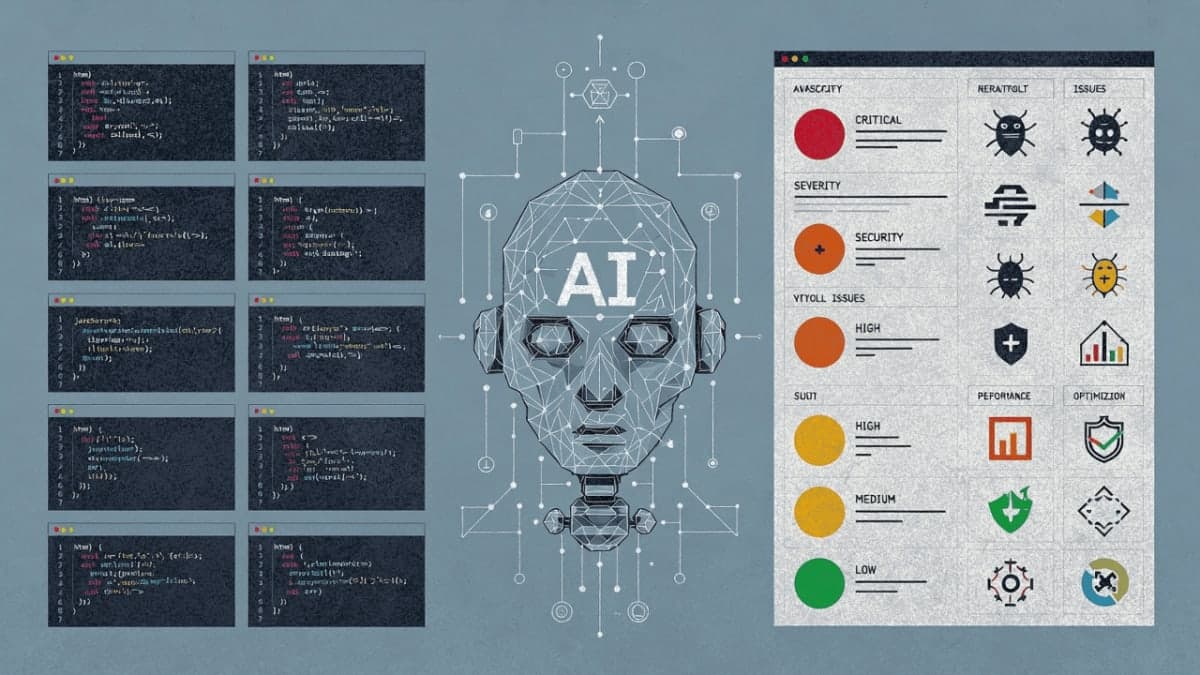
QUICK INFO
| Difficulty | Intermediate |
| Time Required | 45-60 minutes |
| Prerequisites | Node.js 18+, Anthropic API key, TypeScript familiarity |
| Tools Needed | Claude Code CLI, @anthropic-ai/claude-agent-sdk |
What You'll Learn:
- Set up the Agent SDK and run your first query
- Build a code review agent that reads files and returns structured findings
- Create subagents for specialized tasks like security scanning
- Handle permissions, sessions, and custom tools via MCP
The Agent SDK is the infrastructure behind Claude Code, exposed as a library. You get the agent loop, built-in tools for filesystem operations, and context management. This guide walks through building a code review agent from scratch. You'll end up with something that scans a codebase, identifies issues, and returns structured feedback.
Getting Started
Install the Claude Code CLI first. The Agent SDK uses it as its runtime:
npm install -g @anthropic-ai/claude-code
Run claude in your terminal and follow the prompts to authenticate. Then set up your project:
mkdir code-review-agent && cd code-review-agent
npm init -y
npm install @anthropic-ai/claude-agent-sdk
npm install -D typescript @types/node tsx
Set your API key:
export ANTHROPIC_API_KEY=your-api-key
The SDK vs Raw API
If you've built agents with the raw Messages API, you know the loop: call the model, check if it wants a tool, execute the tool, feed the result back, repeat. The SDK handles this for you.
// Raw API: you manage the loop
let response = await client.messages.create({...});
while (response.stop_reason === "tool_use") {
  const result = yourToolExecutor(response.tool_use);
  response = await client.messages.create({ tool_result: result, ... });
}

// SDK: Claude manages it
for await (const message of query({ prompt: "Fix the bug in auth.py" })) {
  console.log(message);
}
The SDK also gives you tools out of the box: Read, Write, Edit, Bash, Glob, Grep, WebSearch, WebFetch. You don't implement any of this yourself.
Your First Agent
Create agent.ts:
import { query } from "@anthropic-ai/claude-agent-sdk";

async function main() {
  for await (const message of query({
    prompt: "What files are in this directory?",
    options: {
      model: "opus",
      allowedTools: ["Glob", "Read"],
      maxTurns: 250
    }
  })) {
    if (message.type === "assistant") {
      for (const block of message.message.content) {
        if ("text" in block) {
          console.log(block.text);
        }
      }
    }

    if (message.type === "result") {
      console.log("\nDone:", message.subtype);
    }
  }
}

main();
Run it with npx tsx agent.ts. Claude uses the Glob tool to list files, then reports what it found.
Message Types
The query() function returns an async generator. The main message types you'll handle:
for await (const message of query({ prompt: "..." })) {
  switch (message.type) {
    case "system":
      // Session initialization
      if (message.subtype === "init") {
        console.log("Session ID:", message.session_id);
      }
      break;

    case "assistant":
      // Claude's responses and tool calls
      for (const block of message.message.content) {
        if ("text" in block) {
          console.log("Claude:", block.text);
        } else if ("name" in block) {
          console.log("Tool call:", block.name);
        }
      }
      break;

    case "result":
      // Final result
      console.log("Status:", message.subtype);
      console.log("Cost:", message.total_cost_usd);
      break;
  }
}
Building the Code Review Agent
Create review-agent.ts:
import { query } from "@anthropic-ai/claude-agent-sdk";

async function reviewCode(directory: string) {
  console.log(`\n🔍 Starting code review for: ${directory}\n`);

  for await (const message of query({
    prompt: `Review the code in ${directory} for:
1. Bugs and potential crashes
2. Security vulnerabilities
3. Performance issues
4. Code quality improvements

Be specific about file names and line numbers.`,
    options: {
      model: "opus",
      allowedTools: ["Read", "Glob", "Grep"],
      permissionMode: "bypassPermissions",
      maxTurns: 250
    }
  })) {
    if (message.type === "assistant") {
      for (const block of message.message.content) {
        if ("text" in block) {
          console.log(block.text);
        } else if ("name" in block) {
          console.log(`\n📁 Using ${block.name}...`);
        }
      }
    }

    if (message.type === "result") {
      if (message.subtype === "success") {
        console.log(`\n✅ Review complete! Cost: $${message.total_cost_usd.toFixed(4)}`);
      } else {
        console.log(`\n❌ Review failed: ${message.subtype}`);
      }
    }
  }
}

reviewCode(".");
The permissionMode: "bypassPermissions" setting auto-approves read operations. For a quick test, create a file with intentional bugs:
// example.ts
function processUsers(users: any) {
  for (let i = 0; i <= users.length; i++) { // Off-by-one
    console.log(users[i].name.toUpperCase()); // No null check
  }
}

function connectToDb(password: string) {
  const connectionString = `postgres://admin:${password}@localhost/db`;
  console.log("Connecting with:", connectionString); // Logging credentials
}
Run npx tsx review-agent.ts. Claude will identify the bugs, the security issue with the logged password, and suggest fixes.
Structured Output
For programmatic use, you want JSON back. The SDK supports JSON Schema:
const reviewSchema = {
  type: "object",
  properties: {
    issues: {
      type: "array",
      items: {
        type: "object",
        properties: {
          severity: { type: "string", enum: ["low", "medium", "high", "critical"] },
          category: { type: "string", enum: ["bug", "security", "performance", "style"] },
          file: { type: "string" },
          line: { type: "number" },
          description: { type: "string" },
          suggestion: { type: "string" }
        },
        required: ["severity", "category", "file", "description"]
      }
    },
    summary: { type: "string" },
    overallScore: { type: "number" }
  },
  required: ["issues", "summary", "overallScore"]
};

async function reviewCodeStructured(directory: string) {
  for await (const message of query({
    prompt: `Review the code in ${directory}. Identify all issues.`,
    options: {
      model: "opus",
      allowedTools: ["Read", "Glob", "Grep"],
      permissionMode: "bypassPermissions",
      maxTurns: 250,
      outputFormat: {
        type: "json_schema",
        schema: reviewSchema
      }
    }
  })) {
    if (message.type === "result" && message.subtype === "success") {
      const review = message.structured_output;

      console.log(`\nScore: ${review.overallScore}/100`);
      console.log(`Summary: ${review.summary}\n`);

      for (const issue of review.issues) {
        const icon = issue.severity === "critical" ? "🔴" :
                     issue.severity === "high" ? "🟠" :
                     issue.severity === "medium" ? "🟡" : "🟢";
        console.log(`${icon} [${issue.category}] ${issue.file}${issue.line ? `:${issue.line}` : ""}`);
        console.log(`   ${issue.description}`);
      }
    }
  }
}
Permission Handling
Three modes are available:
options: {
  permissionMode: "default",        // Prompts for approval
  permissionMode: "acceptEdits",    // Auto-approves file edits
  permissionMode: "bypassPermissions" // No prompts
}
For fine-grained control, use canUseTool:
options: {
  canUseTool: async (toolName, input) => {
    // Allow all reads
    if (["Read", "Glob", "Grep"].includes(toolName)) {
      return { behavior: "allow", updatedInput: input };
    }

    // Block writes to .env
    if (toolName === "Write" && input.file_path?.includes(".env")) {
      return { behavior: "deny", message: "Cannot modify .env files" };
    }

    return { behavior: "allow", updatedInput: input };
  }
}
Subagents
For complex reviews, delegate to specialized subagents:
import { query, AgentDefinition } from "@anthropic-ai/claude-agent-sdk";

for await (const message of query({
  prompt: `Perform a comprehensive code review of ${directory}.
Use security-reviewer for vulnerability detection.`,
  options: {
    model: "opus",
    allowedTools: ["Read", "Glob", "Grep", "Task"],
    permissionMode: "bypassPermissions",
    maxTurns: 250,
    agents: {
      "security-reviewer": {
        description: "Security specialist for vulnerability detection",
        prompt: `You are a security expert. Focus on:
- SQL injection, XSS, CSRF vulnerabilities
- Exposed credentials and secrets
- Insecure data handling`,
        tools: ["Read", "Grep", "Glob"],
        model: "sonnet"
      } as AgentDefinition
    }
  }
})) {
  // The main agent can delegate with the Task tool
  // Subagents run with their own model and tool constraints
}
The Task tool enables delegation. The main agent decides when to hand off work. You can use cheaper models (Sonnet, Haiku) for specialized subtasks.
Session Management
For multi-turn conversations, capture the session ID and resume:
let sessionId: string | undefined;

// Initial query
for await (const message of query({
  prompt: "Review this codebase and identify the top 3 issues",
  options: { model: "opus", allowedTools: ["Read", "Glob", "Grep"], maxTurns: 250 }
})) {
  if (message.type === "system" && message.subtype === "init") {
    sessionId = message.session_id;
  }
}

// Follow-up with context preserved
if (sessionId) {
  for await (const message of query({
    prompt: "Now show me how to fix the most critical issue",
    options: {
      resume: sessionId,
      allowedTools: ["Read", "Glob", "Grep"],
      maxTurns: 250
    }
  })) {
    // Claude remembers the previous findings
  }
}
Hooks
Hooks intercept tool calls for logging, validation, or blocking:
import { query, HookCallback, PreToolUseHookInput } from "@anthropic-ai/claude-agent-sdk";

const auditLogger: HookCallback = async (input, toolUseId, { signal }) => {
  if (input.hook_event_name === "PreToolUse") {
    const preInput = input as PreToolUseHookInput;
    console.log(`[AUDIT] ${new Date().toISOString()} - ${preInput.tool_name}`);
  }
  return {};
};

const blockDangerous: HookCallback = async (input, toolUseId, { signal }) => {
  if (input.hook_event_name === "PreToolUse") {
    const preInput = input as PreToolUseHookInput;
    if (preInput.tool_name === "Bash") {
      const command = (preInput.tool_input as any).command || "";
      if (command.includes("rm -rf") || command.includes("sudo")) {
        return {
          hookSpecificOutput: {
            hookEventName: "PreToolUse",
            permissionDecision: "deny",
            permissionDecisionReason: "Dangerous command blocked"
          }
        };
      }
    }
  }
  return {};
};

for await (const message of query({
  prompt: "Clean up temporary files",
  options: {
    model: "opus",
    allowedTools: ["Bash", "Glob"],
    maxTurns: 50,
    hooks: {
      PreToolUse: [
        { hooks: [auditLogger] },
        { matcher: "Bash", hooks: [blockDangerous] }
      ]
    }
  }
})) {
  // ...
}
The matcher field accepts regex. "Bash" matches only Bash calls; "Bash|Write|Edit" matches any of those.
Custom Tools via MCP
The built-in tools cover filesystem and web operations. For anything else, use Model Context Protocol:
import { query, tool, createSdkMcpServer } from "@anthropic-ai/claude-agent-sdk";
import { z } from "zod";

const customServer = createSdkMcpServer({
  name: "code-metrics",
  version: "1.0.0",
  tools: [
    tool(
      "analyze_complexity",
      "Calculate cyclomatic complexity for a file",
      { filePath: z.string().describe("Path to the file to analyze") },
      async (args) => {
        // Real implementation would calculate actual complexity
        const complexity = Math.floor(Math.random() * 20) + 1;
        return {
          content: [{
            type: "text",
            text: `Cyclomatic complexity for ${args.filePath}: ${complexity}`
          }]
        };
      }
    )
  ]
});

for await (const message of query({
  prompt: `Analyze the complexity of main.ts`,
  options: {
    model: "opus",
    mcpServers: { "code-metrics": customServer },
    allowedTools: ["Read", "mcp__code-metrics__analyze_complexity"],
    maxTurns: 50
  }
})) {
  // Claude can now call your custom tool
}
MCP tools follow the naming pattern mcp__<server-name>__<tool-name>. The Zod schema defines the input; the handler runs when Claude calls it.
Cost Tracking
if (message.type === "result" && message.subtype === "success") {
  console.log("Total cost:", message.total_cost_usd);

  // Per-model breakdown (useful with subagents)
  for (const [model, usage] of Object.entries(message.modelUsage)) {
    console.log(`${model}: $${usage.costUSD.toFixed(4)}`);
  }
}
Troubleshooting
"Cannot find module '@anthropic-ai/claude-agent-sdk'"
Run npm install @anthropic-ai/claude-agent-sdk in your project directory. The package must be local, not just global.
Authentication errors when running queries
Run claude in your terminal first and complete the auth flow. The SDK uses Claude Code's authentication.
Agent hangs or times out
Check your maxTurns setting. Complex tasks may need 100+ turns. Also verify you have network access if tools need external resources.
Structured output returns null
Ensure your JSON schema is valid. Test with a simpler schema first. The required array must only reference properties that exist.
Subagent not being called
You need Task in your allowedTools array. Without it, the main agent can't delegate.
What's Next
The full production agent is in the reference code above. From here you might explore file checkpointing for tracking changes, the Skills system for packaging reusable capabilities, or deployment patterns for CI/CD integration.
PRO TIPS
The maxTurns setting caps agent iterations. For code review across large codebases, 250 is reasonable. For quick single-file checks, 50 suffices.
Use haiku model for subagents doing simpler analysis. It's faster and cheaper. Reserve opus for the main orchestrator and complex reasoning tasks.
When debugging, add a hook that logs every tool call. It's faster than reading through console output trying to figure out what Claude did.
If you're hitting rate limits, the SDK doesn't retry automatically. Wrap your query in a try-catch and implement exponential backoff.
FAQ
Q: Can I use this with Python instead of TypeScript? A: Yes, there's a Python SDK with the same capabilities. The reference docs link to both.
Q: How do I limit which files the agent can access?
A: Use the canUseTool callback. Check the file_path or pattern in the input and return { behavior: "deny" } for restricted paths.
Q: Does the agent remember previous conversations?
A: Only within a session. Use the resume option with the session ID to continue a conversation. There's no persistent memory across sessions.
Q: What's the cost for a typical code review? A: It varies by codebase size. A small project (10-20 files) with Opus typically runs $0.10-0.30. Larger codebases or multiple subagent calls cost more.
RESOURCES
- TypeScript SDK Reference: Full API documentation for all query options and message types
- Python SDK Reference: Same capabilities in Python
- Claude Code Documentation: The runtime environment and CLI usage
- MCP Specification: For building custom tool servers